

Opens the download page on distrib.wiki.
English edition published on .
GalliumOS is a Linux distribution designed for Chromebooks and Chromeboxes. Its design focused on adapting Linux to those devices, with performance and battery use as goals. These aims are not a benchmark or a guarantee that it will outperform another system on your hardware.
GalliumOS features
The project brought together hardware adjustments and a desktop environment intended for compatible ChromeOS devices. Its official website describes this focus on device integration.
Hardware optimisation
GalliumOS incorporated changes intended to improve responsiveness and support Chromebook-specific hardware, including touchpads and mice. Power consumption and battery life depend on the device, firmware, drivers and workload. Check the exact model against the project's compatibility information before considering installation.
An adapted desktop
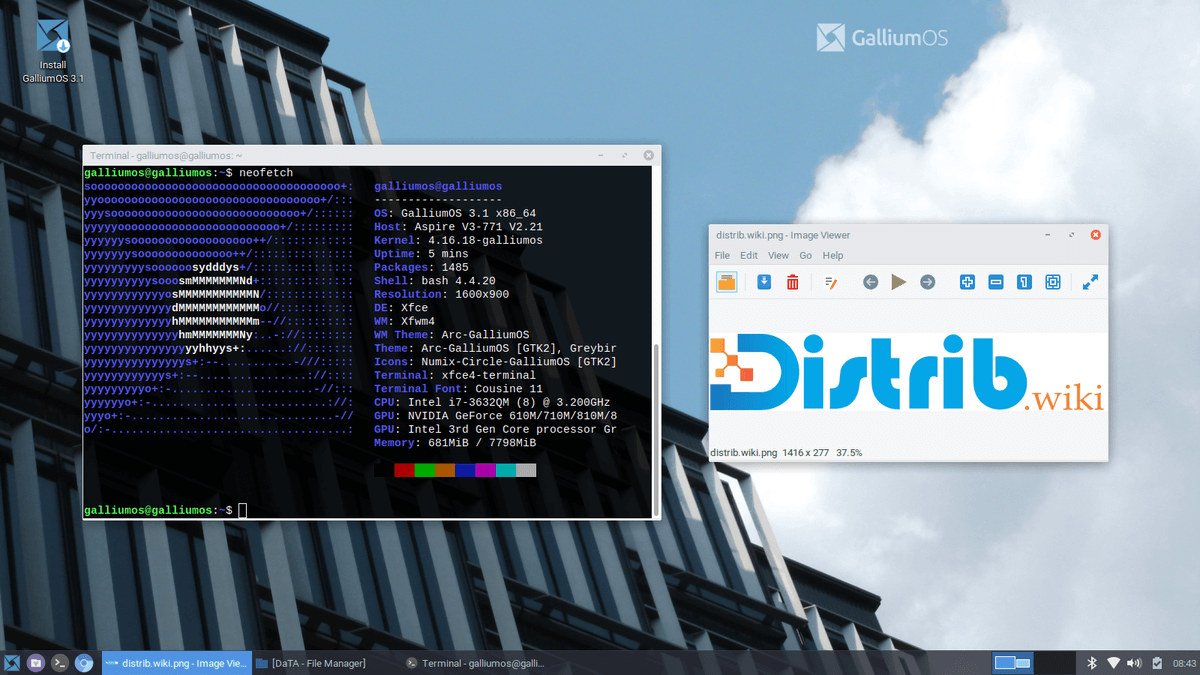
GalliumOS uses an Xfce-based desktop, adapted to provide conventional application menus and system settings on Chromebooks. The goal was a lightweight, accessible desktop, with straightforward navigation and access to applications. Actual startup speed and responsiveness vary with the machine.
Software compatibility
Its Linux base provides access to desktop and development software such as LibreOffice, Firefox, GIMP, Python, Java and Git, subject to repository availability and version support.
- LibreOffice: an office suite for documents, spreadsheets and presentations. Check compatibility with the files and features you use.
- Firefox: a web browser whose security depends on running a maintained version.
- GIMP: an image editor, with a workflow and feature set that differ from Adobe Photoshop.
- Python, Java and Git: tools for development, with availability depending on the repositories and release.
A historical option to assess carefully
The official download page still presents GalliumOS 3.1, released on 22 December 2019. An available image does not demonstrate current security maintenance. Treat this profile as background on the project and verify support, firmware requirements and recovery options before installing it, particularly for a computer used online.