
Download Ubuntu Studio: images and installation preparation
English edition published on .
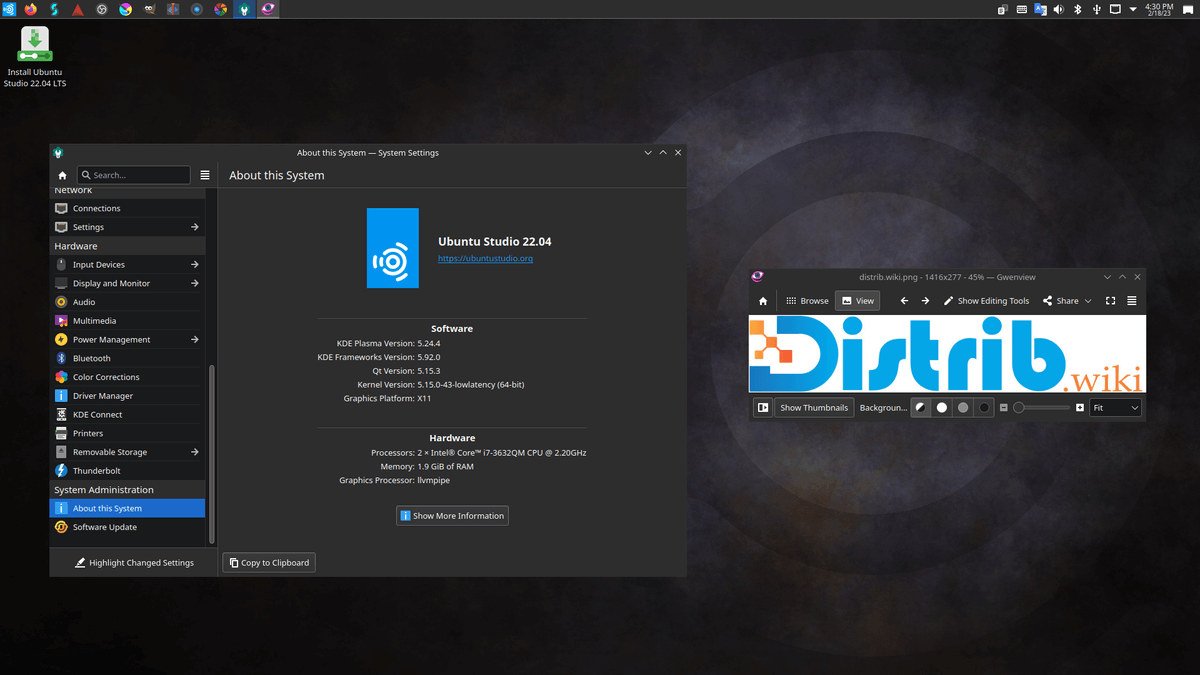
How to download Ubuntu Studio for free
Ubuntu Studio is a Linux distribution designed for multimedia creation. It brings together tools for musicians, video makers, photographers, illustrators, podcasters and other people producing audio, video, images and digital projects with open-source software.
Start from the official project download page, choose a supported release and verify its ISO image. Ubuntu Studio provides a live image, so you can boot from USB and try the included applications before installing the system on your computer.
The 26.04 LTS branch, initially released on 23 April 2026, is supported until April 2029. It is worth considering for a creative workstation where a longer maintenance period matters. When checked on 3 November 2026, the official download page offered the 26.04.1 LTS image alongside the 26.10 interim release. Official Ubuntu Studio downloads and requirements.
Which Ubuntu Studio release should you download?
Ubuntu Studio 26.04 LTS, “Resolute Raccoon”, combines an Ubuntu base with KDE Plasma and three years of Ubuntu Studio support, ending in April 2029. Download the available point-release image for this branch when making a fresh installation. An LTS release can be a practical choice when you want to limit the frequency of major upgrades on a production workstation.
Interim releases may include newer creative applications or desktop features, but have shorter support periods. Check both your software requirements and the upgrade timetable. A newer package is useful only if your projects, plugins and hardware work with it.
If you already use Ubuntu or an official flavour, Ubuntu Studio Installer offers another route. The project provides the ubuntustudio-installer package to add its application selections, menus and related components to an existing installation. Follow the instructions that match that system's release.
Choose the ISO for a complete installation. Consider Ubuntu Studio Installer if you want to retain an existing Ubuntu environment and add creative tools. Back up the current setup before making substantial changes in either case.
Prepare your computer before downloading
Back up important files before starting the installer. Installing an operating system can modify disk partitions and erase files. A live USB lets you explore the system beforehand, but you still need a backup before changing the internal disk.
The official download page checked on 3 November 2026 lists an Intel Core 2 Duo equivalent processor, 4 GB of RAM and 32 GB of storage as minimum requirements. Its recommended configuration is an Intel Core i5 equivalent or better, 16 GB of RAM and at least 64 GB of storage, with more room for audio and video work. These are system guidelines, not performance guarantees for every creative project.
Multitrack recordings, high-resolution video, photo libraries and exports can quickly consume storage. Plan space for working files, temporary data and backups as well as applications. An SSD and separate project storage may be useful, depending on the size and demands of your workflow.
Create a bootable Ubuntu Studio USB drive
After downloading the ISO, verify its checksum and write the image to a suitable USB drive. Image-writing options include Rufus on Windows, balenaEtcher on Windows, macOS or Linux, Ubuntu's Startup Disk Creator and KDE ISO Image Writer. Follow the official procedure for the tool and image you choose. Writing an image erases the destination drive, so check its identity and copy off any files you need first.
Restart the computer and open its boot menu. The key varies by manufacturer and may be F12, F9, F8, Esc or Delete. Select the USB drive to start the Ubuntu Studio live environment.
Try the desktop before installation. Check display output, keyboard, mouse, Wi-Fi and sound, then explore the creative applications. For audio or video production, also check the devices central to your work: interfaces, microphones, monitors, cameras or control surfaces. A live session provides a useful initial check, not a substitute for testing complete projects later.
Install Ubuntu Studio after downloading
The graphical installer guides you through language, keyboard layout, time zone, destination disk, partition choices and account creation. Read the final summary before confirming any disk changes. Do not assume the default destination is the disk you intended.
Depending on the existing disk layout and installer options, you can replace the current operating system or set up dual boot alongside a system such as Windows. Keeping both systems needs careful partition planning and a backup of the data already on the computer.
After installation, apply the available system updates to obtain fixes for the Ubuntu base, desktop and applications. The 26.04 LTS release notes also describe an intentional restart prompt on a user's first login, used to apply the appropriate audio configuration. Follow the guidance for the version you installed.
Why consider Ubuntu Studio?
Ubuntu Studio brings together software for audio, video, graphics, photography and publishing. This can save some of the initial work of selecting and installing creative applications separately on a general-purpose desktop distribution.
It may interest creators who want to use more open-source tools. Its software ecosystem covers recording and mixing audio, editing video, retouching images, drawing, organising photographs and preparing publications. Check support for the formats, plugins and project files you already use before switching your main workflow.
The Ubuntu ecosystem contributes packages, documentation and community resources. Those resources can help when learning the system or troubleshooting, although compatibility still needs to be checked for your particular hardware and release.
The live image makes an initial evaluation possible without installing to the internal disk. Use it to check your audio hardware, graphics adapter, display, drawing tablet and other essential peripherals before deciding whether to make Ubuntu Studio your main workstation.
Prepare a creative workstation around your needs
Ubuntu Studio provides a dedicated starting point for multimedia work. The 26.04 LTS branch offers maintenance until April 2029; compare it with interim releases according to the applications you need and how often you can schedule major upgrades.
Use the official download page, verify the ISO, create a bootable USB drive and test your essential devices. Once you have backed up your data and checked the installation plan, you can install the system and build a workflow around the open-source tools that suit your projects.