
Download Netrunner: ISO, verification and installation
English edition published on .
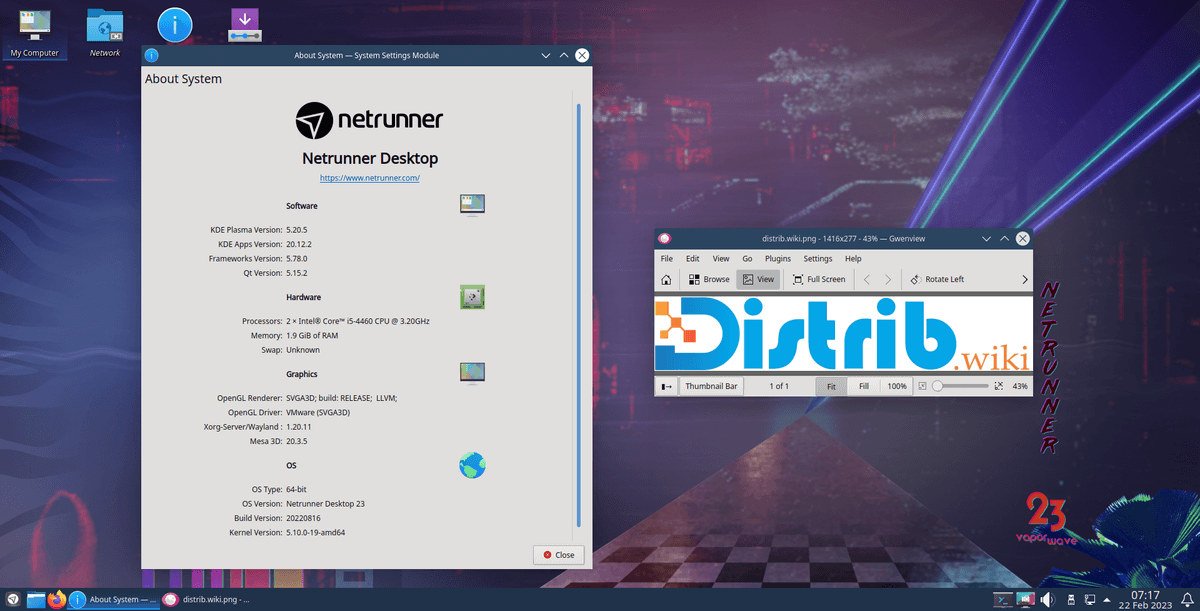
How to download Netrunner for free
Netrunner is a GNU/Linux desktop distribution based on Debian Stable and centred on KDE Plasma. It provides a configured desktop and a selection of applications for browsing, office work, media, file management and other everyday activities.
Get Netrunner from the official project website and check the release details and checksum. The release described in this guide is Netrunner 26 “Twilight”: a 64-bit image based on Debian 13 “Trixie”, with KDE Plasma 6.3.6 and an ISO of approximately 3.4 GB. These are release-specific details, not a claim that no newer image exists.
For a new desktop installation, compare the official supported image with your requirements. Netrunner Desktop 26 provides the Debian and Plasma combination described here; apply available updates after installation rather than relying only on the packages included when the image was built.
Which Netrunner version should you download?
Netrunner 26 “Twilight” is described as released on 2 April 2026, based on Debian 13 “Trixie”, with KDE Plasma 6.3.6 and Linux 6.16. These versions help identify that particular release. Check its release notes and hardware support before installation.
Netrunner Desktop is the main edition for compatible 64-bit PCs. It includes Plasma and preinstalled applications for a desktop, laptop or virtual-machine environment. Check the current download page for the image and architecture appropriate to your machine.
Older releases such as Netrunner 25 or 23 may remain in archives or on mirrors. Their availability does not mean they are the preferred installation choice. Compare maintenance status and requirements, and normally choose a supported current official image.
The project also has information for specific ARM devices such as Pinebook and Odroid. These images are tied to particular hardware and should not be substituted for the Desktop image on a conventional x86-64 PC.
Prepare your computer before downloading
Back up important files before installing Netrunner. Partitioning can alter or erase existing data. A live USB is useful for trying the system, but a backup is still needed before starting an installation.
Confirm that the computer supports the selected 64-bit image. The requirements quoted for a virtual machine in the original download guidance were at least 1.2 GB of RAM and 16 GB of disk space. Treat those as release-specific minimums: allow more memory and storage for a comfortable Plasma desktop and your applications.
Compare the downloaded ISO's SHA-256 checksum with the value supplied through the official project channel. This detects a mismatch or corruption; a checksum only helps establish authenticity when the expected value comes from a trusted source.
Create a bootable Netrunner USB drive
The download guidance lists tools such as usb-creator-kde, usb-creator-gtk and imagewriter for writing the ISO. Compatible alternatives include Rufus on Windows or balenaEtcher on Windows, macOS and Linux. Check the target USB drive carefully because image writing erases its contents.
Restart the computer and open its boot menu, using the manufacturer's instructions. F12, F9, F8, Esc and Delete are common possibilities. Select the USB device to start Netrunner's live environment.
The Netrunner guidance described disabling Secure Boot in the firmware for the relevant image. Check the instructions for your exact release first. If a firmware change is needed, retain recovery information for any existing encrypted operating system and record the original setting.
Install Netrunner after downloading
Try the live system before changing the disk. The documented live-session credentials are live/live for the image described here; confirm them for the release you download. Test Wi-Fi, sound, graphics, input devices and the Plasma workflow.
The graphical installer covers language, keyboard, time zone, target disk, partitions and account credentials. Review the defaults carefully, especially the proposed disk layout, and confirm that your backup is usable before accepting changes.
The official guidance calls for a full system update after installation. Follow its APT instructions in Konsole, or the documented update procedure for your edition, to retrieve fixes and packages published since the ISO was created.
Why consider Netrunner?
Netrunner offers a Debian Stable foundation with a preconfigured KDE Plasma desktop. Its application selection and desktop adjustments can reduce the initial configuration work for users who like that combination.
It may suit someone who wants Debian-related software and maintenance with an immediately usable desktop setup. The included applications support common tasks such as working with documents, browsing, communication and file management.
Plasma offers configurable panels, widgets, themes, menus and shortcuts. These options let users adapt the desktop to their habits rather than accepting one fixed layout.
Netrunner is an alternative to compare with Kubuntu, KDE neon and Debian KDE. Its Debian Stable base and project-specific configuration provide a different update and desktop experience from a rolling distribution; that distinction is more useful than assuming one approach is always more stable.
From download to installation
Netrunner combines Debian and KDE Plasma in a desktop-focused system. The Netrunner 26 details above describe its 64-bit Debian 13 and Plasma 6.3.6 release; check the official page before downloading to confirm the currently recommended image and maintenance information.
Download through the official project, verify the checksum, write USB media and try the live environment before installing. Then apply updates and check the applications you need for everyday work.