
Download PCLinuxOS: desktop editions and setup
English edition published on .
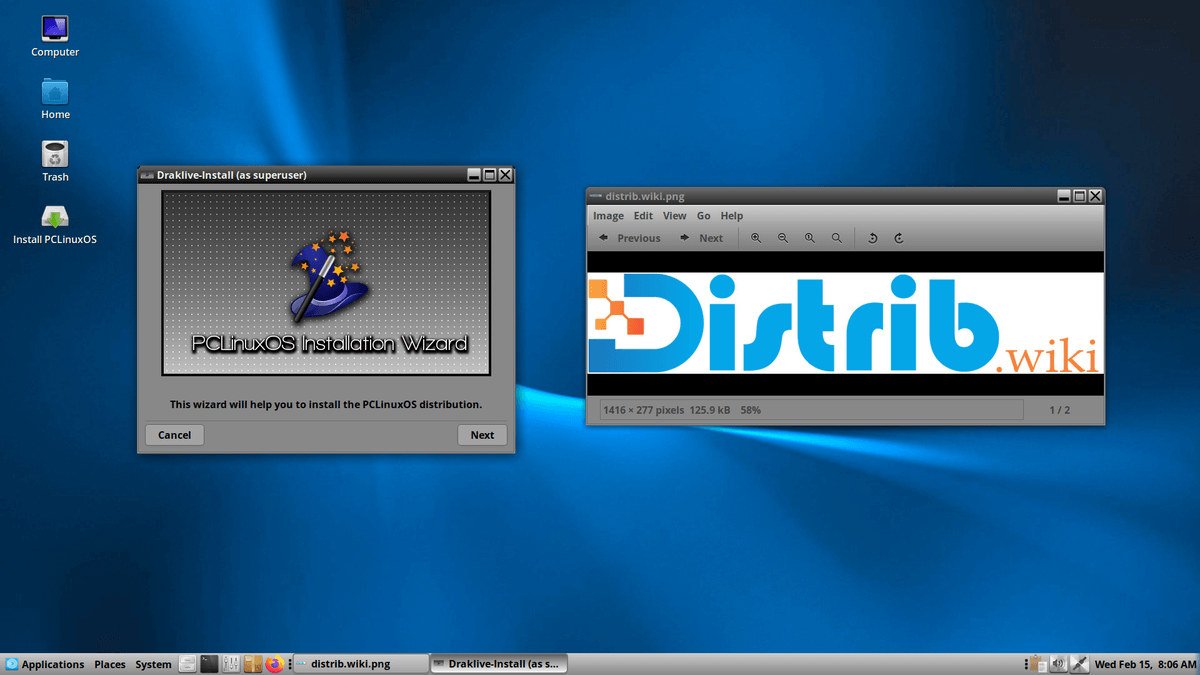
How to download PCLinuxOS for free
PCLinuxOS is an independent Linux distribution focused on personal computers and everyday tasks. Its desktop-oriented approach covers browsing, office work, media, file management, email, communication and productivity, with graphical tools intended to make the system approachable.
Download it from the official website or a mirror recommended by the project. PCLinuxOS uses a rolling release model: installation ISOs provide a starting point, and package updates maintain the installed system afterwards. Check the image date and verification information instead of assuming that every mirror contains a current image.
Choose a desktop environment suited to your computer and preferences. Editions described here include KDE Plasma, MATE and Xfce, each with a different interface and set of configuration options. Check which images are currently offered and maintained.
Which PCLinuxOS edition should you download?
KDE Plasma provides a feature-rich, highly customisable desktop. Themes, menus, panels, shortcuts and many other elements can be adjusted. It is worth considering if you want an extensive graphical environment and have the resources for the applications you intend to use.
MATE provides a more traditional desktop layout. Its conventional panels and menus may suit people moving from older desktop environments or looking for a straightforward workflow. Test it on your machine to assess responsiveness and comfort.
Xfce takes a relatively lightweight approach while retaining conventional desktop features. It may be appropriate for modest hardware or users who prefer fewer desktop effects. The memory and processor demands of your applications remain important.
For a first installation, compare Plasma for extensive customisation, MATE for a traditional layout and Xfce for a restrained desktop. None is automatically best for every computer; a live test helps you choose.
Prepare your computer before downloading
Back up important files before installing PCLinuxOS. Installation can modify disk partitions and erase data. A live USB allows you to try the system first, but does not replace a backup before making disk changes.
Check the specifications of your computer and the requirements of the chosen image. Plasma may suit a well-equipped computer, while MATE or Xfce may better match a preference for a simpler desktop. Your actual applications have a substantial effect on overall performance.
Prepare a USB drive with sufficient capacity for the image. You can then boot PCLinuxOS, check the live environment and proceed to installation once essential hardware has been tested.
Create a bootable PCLinuxOS USB drive
Write the ISO to a USB drive using a compatible utility such as Rufus on Windows, balenaEtcher on Windows, macOS or Linux, or an image-writing tool supplied by your Linux distribution. Confirm the correct target drive because writing the image erases it.
Restart and open the boot menu. Common keys include F12, F9, F8, Esc and Delete, but the correct key depends on the machine. Choose the USB device to start PCLinuxOS.
In the live environment, check Wi-Fi, sound, display, keyboard and mouse, and assess the desktop layout and responsiveness. You can explore without installing; avoid disk-writing actions until ready. If the results are suitable, start the installer from the desktop.
Install PCLinuxOS after downloading
The graphical installer helps configure language, keyboard, time zone, target disk, partitions and other main settings. Review each choice, particularly disk changes, rather than treating the defaults as automatically appropriate.
Select the target disk or partitions carefully. Replacing an existing operating system may use and erase the entire disk. Keeping Windows or another Linux installation requires a planned dual-boot configuration and adequate free space.
After installation, apply updates using the project's recommended procedure. Regular maintenance is essential for a rolling release, bringing available fixes and package updates while keeping the installation consistent. Read relevant project notices when updating.
Why consider PCLinuxOS?
PCLinuxOS offers an independent, desktop-focused Linux system without a paid operating-system licence. It is an alternative to consider alongside Windows, Ubuntu, Linux Mint or Fedora, depending on your software needs and preferred administration tools.
Its rolling release model allows an installed system to evolve through updates instead of requiring a full reinstall for each installation-image release. This still requires regular maintenance and attention to upgrade instructions.
The desktop editions give users different interfaces to choose from: Plasma emphasises customisation, MATE a traditional layout, and Xfce a relatively lightweight environment. This flexibility can help match personal preferences and hardware resources.
Users interested in a different Linux ecosystem may also value its community and desktop tools. Consult recent project information and documentation to assess whether its support resources match your needs.
From download to installation
PCLinuxOS can provide a configurable personal-computer desktop. Compare Plasma, MATE and Xfce on your hardware, and choose a currently maintained image rather than selecting solely by how an edition is described.
Use the official website or a recommended mirror, verify the image, prepare USB media and test the live environment. Follow the installer carefully, then maintain the installed system through its recommended update process.