

Opens the download page on distrib.wiki.
English edition published on .
Ubuntu Studio: a Linux distribution for creators
Ubuntu Studio is a free, open-source, officially recognised Ubuntu flavour for content creators, musicians, filmmakers, photographers, graphic designers, podcasters, multimedia developers and digital artists. Unlike a standard Ubuntu installation, it supplies a selection of software for audio production, video editing, graphics, photography, publishing and digital creation.
It uses Ubuntu’s technical base, repositories, updates, hardware support and documentation, adding a configuration and software selection for creative work. This provides an environment for recording sound, editing video and photographs, drawing, producing music and building multimedia projects.
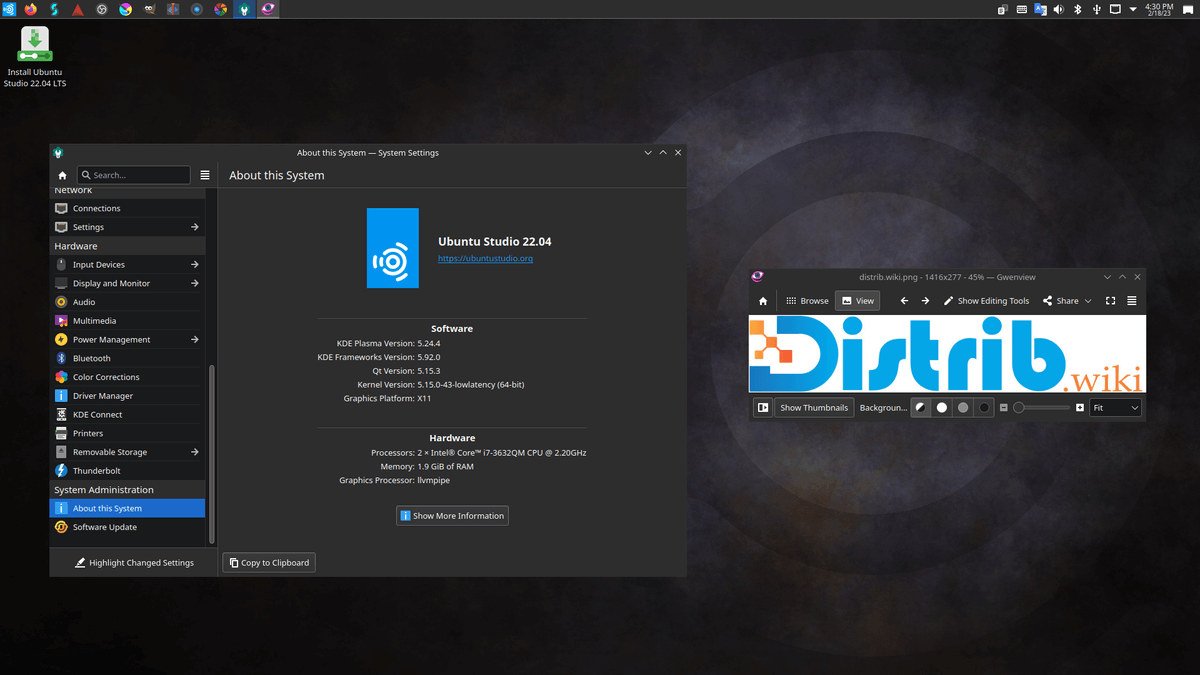
Ubuntu Studio has used KDE Plasma for several releases. Its configurable desktop helps organise a creative workspace. Ubuntu Studio 26.04 LTS shares its Plasma environment and some underlying components with Kubuntu.
The history of Ubuntu Studio
Ubuntu Studio appeared in 2007 as an Ubuntu flavour for creators. Its initial aim was a multimedia-ready distribution with audio, video and graphics applications preinstalled, avoiding the work of manually turning a standard Ubuntu installation into a creative workstation.
For several years it used Xfce, valued for modest resource needs and stability. That suited audio and video workstations, where resources were needed by creative applications rather than the desktop interface.
The project later moved to KDE Plasma for a more flexible and comprehensive desktop. The transition changed its interface while retaining the aim of a ready-to-use creative system.
Ubuntu Studio 26.04 LTS “Resolute Raccoon” was released on 23 April 2026. The project describes it as its 38th release. Earlier milestones included 20.04 LTS, the final Xfce-based LTS; 22.04 LTS, which established the Plasma era; and 24.04 LTS, with a new installer and more mature PipeWire integration.
Advantages of Ubuntu Studio
Its central advantage is its creative focus. It quickly provides a working environment for audio, video, photography, graphics, illustration, publishing and content production.
Audio production is a particular focus. Included tools support recording, mixing, sound editing, audio processing, computer-assisted music production and digital-studio management. They can serve music, podcast, voice-over and other sound projects.
Video and graphics applications are another benefit. Users can edit footage and photographs, create visual artwork and animation, and prepare content for the web or print. Having many applications installed or available in the repositories reduces setup work.
The Ubuntu base provides a broad package catalogue, hardware support, extensive documentation, a large community and familiar update management. This can help creators who want a free-software system without starting from a highly technical distribution.
The official ISO is a live image. You can boot it from a USB drive and try the default applications before installing the system on disk.
Limitations of Ubuntu Studio
The large creative-software selection takes more disk space than a basic installation or a lightweight flavour such as Xubuntu or Lubuntu. It can be excessive for someone who does not produce multimedia.
Creative workloads may need capable hardware. Video editing, multitrack audio, large photo projects and advanced graphics often require substantial RAM, processing power and storage. The requirements quoted in the French profile are 4 GB RAM and 32 GB storage minimum, with 16 GB RAM and 64 GB storage recommended and additional space for audio and video work. Check the current release’s requirements before installing.
Some widely used proprietary professional applications do not run natively on Linux. Users of Adobe Premiere Pro, Adobe Photoshop, Logic Pro, Final Cut Pro or Ableton Live may need alternatives or changes to their workflow, despite the available free-software tools.
Ubuntu Studio may be unnecessary for simple office use. Ubuntu, Kubuntu, Linux Mint or Zorin OS may offer a less crowded environment for browsing, documents and email.
Shared Ubuntu and Kubuntu components can also mean shared known issues, as described in release notes. Test hardware and application compatibility before switching a production workstation completely.
Ubuntu Studio releases and features
Ubuntu Studio follows Ubuntu’s release cycle, with regular releases approximately every six months and LTS releases for a longer-lived base. An LTS is generally the starting point to consider for a main creative workstation.
Ubuntu Studio 26.04 LTS “Resolute Raccoon”, released on 23 April 2026, is the LTS discussed in this profile. Its announced three-year support period runs until April 2029.
KDE Plasma offers a configurable desktop for multitasking. Creators can organise windows, panels, workspaces and shortcuts around their workflow.
Ubuntu Studio Installer can add Ubuntu Studio components to an existing compatible Ubuntu installation or official flavour. The package is named ubuntustudio-installer.
For a fresh full installation, the Ubuntu Studio ISO is the most direct route. For an existing Ubuntu, Kubuntu or other compatible official flavour, Ubuntu Studio Installer can add creative tools without reinstalling the entire system.
Conclusion
Ubuntu Studio combines Ubuntu’s base with software for audio, video, photography, graphics and publishing. It is an option for artists, musicians, filmmakers, podcasters and other creators seeking an open-source workstation with tools already assembled.
It is not necessarily the best fit for basic tasks or severely limited hardware. Its purpose is a coherent multimedia workstation; the 26.04 LTS release offers the longer-lived base discussed here.