
Opens the download page on distrib.wiki.
English edition published on .
antiX: a lightweight Linux distribution without systemd
antiX is a free, open-source distribution based on Debian Stable, designed to be lightweight and responsive. It targets older computers, modest laptops and other low-powered machines while also running on newer hardware. Its goal is a simple system with low resource requirements and a Debian foundation.
antiX does not use systemd or elogind. This attracts users who prefer alternative, more traditional initialisation systems. The antiX-26 release described here offers runit by default, alongside sysVinit, dinit, s6-rc and s6-66.
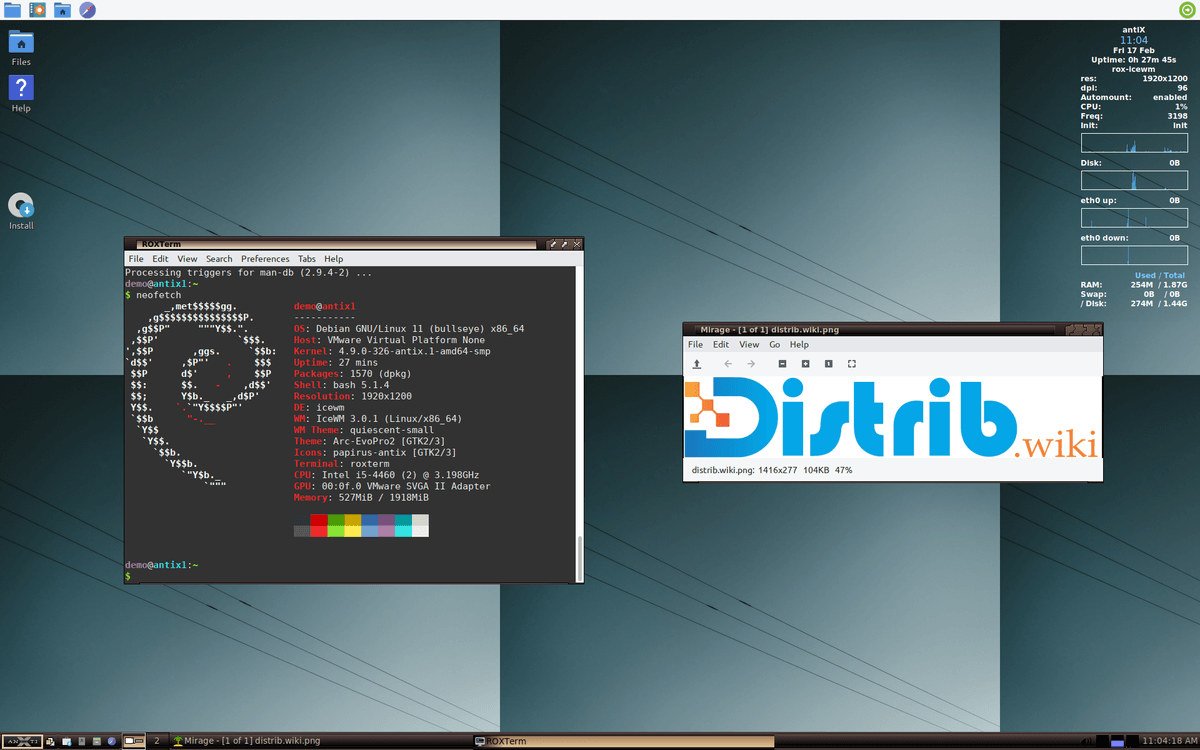
Instead of larger desktop environments such as GNOME or KDE Plasma, antiX uses window managers including IceWM, Fluxbox, JWM and herbstluftwm. This restrained approach reduces desktop resource demands on machines with limited memory or older processors.
History of antiX
antiX began as a derivative of MEPIS, an earlier Debian-based distribution. It developed its own identity around a lightweight system suited to older computers, with a continuing commitment to avoiding systemd.
The project has long been connected with the MEPIS community and later MX Linux. MX Linux grew from collaboration between antiX and MEPIS communities, but antiX retains a more minimalist focus.
Its successive releases built a reputation for extending the useful life of older hardware. While many modern distributions have reduced support for older machines, antiX has continued providing 32-bit images and restrained desktop environments.
antiX-26 “Stephen Kapos” was released on 21 March 2026. It is based on Debian 13 “Trixie”, remains systemd-free and offers Full and Core variants in 32-bit and 64-bit forms.
Advantages of antiX
Low resource use is its main strength. The distribution is designed to remain responsive on older hardware where larger desktop systems may feel slow. Actual performance still depends on the applications and machine.
Its 32-bit images can support older computers no longer served by many mainstream distributions. This may be useful to refurbishment workshops, associations, schools and individuals trying to keep functioning hardware in use.
The Debian Stable base provides APT package management and access to a large software catalogue. Users can combine a restrained desktop with many packages from the Debian ecosystem.
Users who do not want systemd can choose among alternative initialisation systems. This freedom and relatively traditional administration model are significant attractions for some experienced users.
antiX also offers live USB features: testing without installation, persistence, a portable working environment and computer troubleshooting. These options make it useful for maintenance and portable use.
Limitations of antiX
The interface may look less contemporary than Ubuntu, Linux Mint, Zorin OS, Fedora or Deepin. antiX prioritises efficiency and restraint through lightweight window managers; users accustomed to elaborate desktops may find it austere.
IceWM, Fluxbox and JWM also require some adjustment. Their organisation differs from GNOME, KDE Plasma or Cinnamon, and complete beginners may initially find them less intuitive.
Because antiX does not use systemd, instructions written for Ubuntu, standard Debian setups or Fedora may not apply directly. Service management, startup and some system features differ, making antiX-specific documentation important.
Debian Stable favours a predictable base over the newest application releases. People who consistently need newer software may prefer a rolling distribution such as Arch Linux, EndeavourOS or openSUSE Tumbleweed.
antiX principally targets lean desktops, older computers, live USB use and straightforward tasks. It can support learning and troubleshooting, but is not primarily designed for critical production servers, demanding creative workstations or complex enterprise deployments.
antiX editions
antiX-26 is offered primarily as Full and Core, each with 32-bit and 64-bit images. The official guidance notes that most computers made in the preceding decade use the 64-bit image, while 32-bit images serve much older machines. Check the processor rather than relying on age alone.
Full is the more complete edition. The antiX-26 image is approximately 2 GB and includes several window managers, graphical applications, system tools and everyday software. It is the usual starting point for a lightweight system that is ready to use.
Core is a much smaller edition, approximately 660 MB according to the antiX-26 announcement. It targets experienced users assembling their own environment from a minimal base. More configuration is required, but the result can be closely tailored.
Earlier releases also offered Base and Net variants, providing an intermediate setup or a minimal network installation. For antiX-26, the principal advertised options are Full and Core for 32-bit and 64-bit architectures.
The available window managers include IceWM as the default, Fluxbox, JWM and herbstluftwm. They offer different combinations of traditional menus, a small footprint and keyboard-oriented working styles.
Overall assessment
antiX combines a lightweight desktop, Debian Stable and a systemd-free approach. It is particularly relevant to older or modest computers, portable live systems and users who want restrained resource consumption.
It is not the most visually elaborate distribution or necessarily the easiest first desktop for everyone. Its strength is a focused approach to lean computing. For refurbishment, troubleshooting or exploring a system without systemd, it is worth testing on the intended hardware.