

Opens the download page on distrib.wiki.
English edition published on .
Solus: an independent desktop Linux distribution
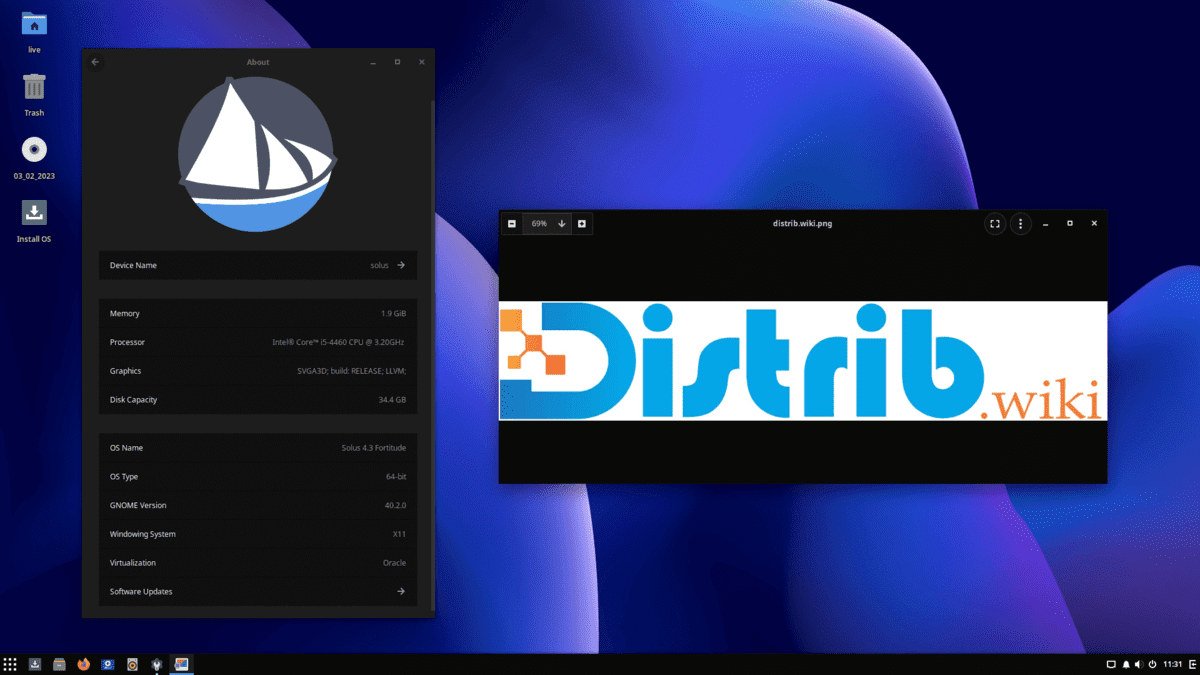
Solus is a free, open-source, independent distribution designed primarily for desktop and laptop computers. It is not based on Ubuntu, Debian, Fedora or Arch Linux. It maintains its own base, package manager and approach to straightforward everyday computing.
Its desktop focus covers web browsing, office work, media, communication, lighter development tasks, productivity and leisure. The project aims for a coherent user experience without unnecessary components.
Solus uses a managed rolling-release model. Regular updates evolve the installed system without requiring a complete reinstall for each release. Published ISO images mainly provide refreshed installation starting points.
History of Solus
Solus grew from Evolve OS, launched by Ikey Doherty. The project later adopted the Solus name and developed into an independent desktop distribution. Its goal was a straightforward, coherent system without direct dependence on Ubuntu, Debian, Arch or Fedora.
Its history is closely connected with Budgie. That desktop originated in the Solus ecosystem to provide a modern, approachable interface. Budgie later became an independent project but remains strongly associated with Solus and one of its best-known editions.
Solus has undergone technical and organisational transitions while continuing as a community-maintained project. The original profile discusses Solus 4.9 “Serenity” as an example of its desktop-focused releases; consult the project’s current download information for the latest installation image.
The decision to concentrate on workstations rather than servers or enterprise infrastructure lets the project prioritise applications and components relevant to desktop users.
Advantages of Solus
Simplicity is a central goal. Rather than cover every possible deployment, Solus aims for a clear, responsive and coherent desktop immediately after installation. It may appeal to users seeking a modern Linux system without excessive initial configuration.
Its independence allows the project to choose its own technology and update schedule. This provides an alternative to the largest distribution families.
Rolling updates let an installed system receive newer software without a full reinstall for a new major version. The project’s managed delivery approach suits users seeking regular updates with a curated package selection.
Solus also aims for a responsive desktop, with Budgie and Xfce among the options for restrained resource use. Suitability varies by computer and workload, so testing the intended desktop remains important.
The official desktop choices described here are Budgie, GNOME, Plasma and Xfce. They range from a traditional desktop layout to GNOME’s workspace-oriented approach, Plasma’s extensive customisation and Xfce’s restrained design.
Limitations of Solus
Its independent software repositories are smaller than those of Debian, Ubuntu, Fedora or Arch. Many common applications are available, but specialised software may be missing.
The smaller user base can make Solus-specific tutorials and troubleshooting harder to find than for Ubuntu, Linux Mint or Fedora. The community remains an important source of project-specific help.
A rolling system still requires attention. Apply updates regularly and follow important project announcements. Users who want a platform to remain largely fixed for years may prefer Debian Stable or Ubuntu LTS.
Solus is primarily a desktop system, rather than a production-server or enterprise platform. For infrastructure or specialist professional compatibility requirements, compare distributions such as Debian, Ubuntu Server, Rocky Linux or AlmaLinux.
Third-party applications may primarily be distributed as DEB, RPM, AppImage, Flatpak or Snap packages. Depending on the program, Solus users may need Flatpak or another supported installation method rather than a native package.
Solus editions
Solus offers multiple desktop editions. Budgie is particularly associated with the project and combines a modern interface with a familiar, traditional desktop organisation.
GNOME provides a restrained, workspace-oriented interface. It suits users who appreciate a coherent desktop workflow and wish to use that environment on compatible hardware.
Plasma uses KDE Plasma for extensive customisation. Themes, panels, menus, shortcuts and many other aspects of desktop behaviour can be adjusted.
Xfce is the lighter desktop option described in this profile. Its traditional organisation and limited resource demands may suit modest computers or users who prefer an uncomplicated interface.
These editions share the Solus base but offer different working styles: Budgie for a balanced traditional layout, GNOME for its workspace model, Plasma for configuration freedom and Xfce for restraint.
Overall assessment
Solus offers an independent approach to desktop Linux. Its rolling updates, official desktop choices and focus on everyday use distinguish it from the larger distribution families.
It is less suited to servers or users requiring an exceptionally broad native package catalogue. For a personal computer and a coherent everyday desktop, it is worth exploring against your software and hardware requirements.