
Download Gentoo Linux: images and installation preparation
English edition published on .
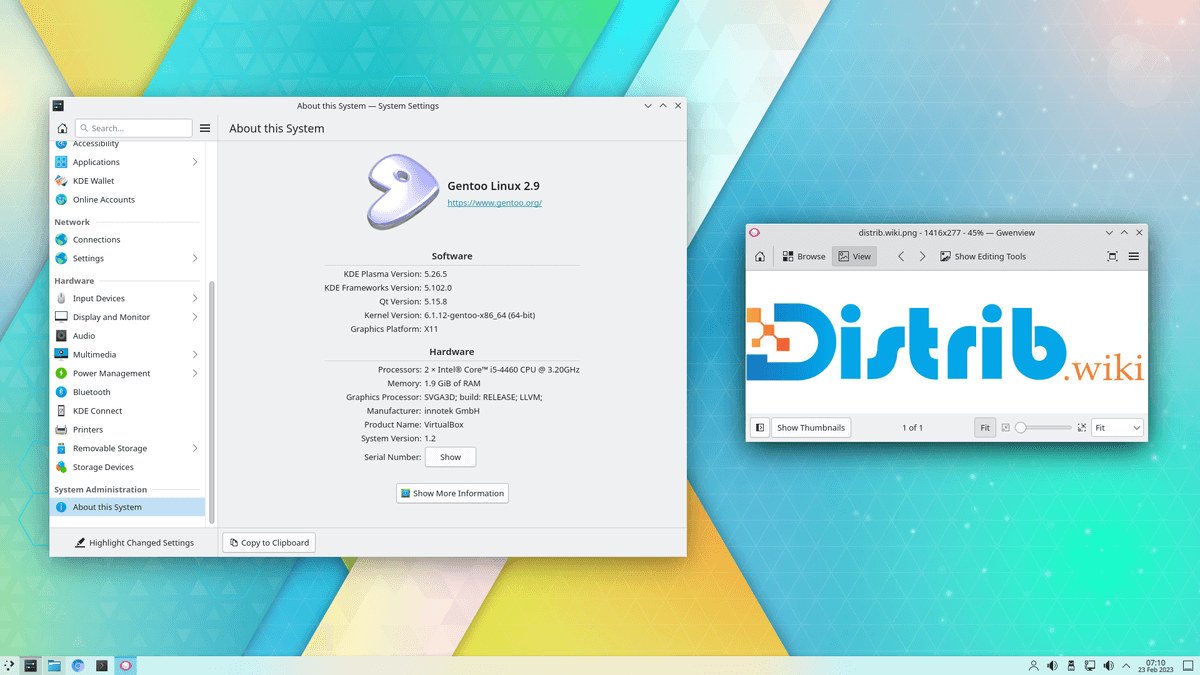
How to download Gentoo Linux for free
Gentoo Linux is a flexible, source-based distribution for people who want to build and configure their system step by step. You choose its components and control many details of the installed software. Compared with a ready-to-use desktop distribution, the installation asks you to make more technical decisions.
Start from the official Gentoo download page and use the verification instructions for the files you select. The key downloads normally include installation media and a Stage 3 archive, which supplies the initial base for the system you will configure. Check the architecture and build details instead of selecting a file solely because it has the newest date.
Gentoo follows a rolling release model rather than a sequence of conventional major releases that require periodic replacement of the system. Installation images and archives provide starting points; after installation, you maintain and develop the system through Portage and the relevant project instructions.
Which Gentoo Linux image should you download?
A typical installation uses bootable installation media and a Stage 3 archive. The media starts a temporary Linux environment. The Stage 3 archive contains the initial Gentoo system that you extract onto the target disk before continuing its configuration.
The minimal installation image suits the conventional procedure documented in the Gentoo Handbook. Its small environment provides the tools needed to prepare partitions and networking, obtain the Stage 3 archive, set up the package repository, configure the system and install a kernel.
A graphical live environment, where available for the selected architecture, can make it easier to read documentation in a browser while working. It may also provide additional tools. The presence of a desktop on the installation media does not mean that Gentoo's installation becomes the same guided process as Ubuntu, Fedora or Linux Mint.
Choose the Stage 3 archive carefully. It must match the processor architecture and the kind of system you intend to build. Many Intel and AMD PCs use amd64, but other computer types require different downloads. Options can include OpenRC or systemd, desktop-oriented stages and other profiles. Use the Handbook to understand those choices before selecting one.
Prepare your computer before downloading
Read the Gentoo Handbook for the relevant architecture before starting. It explains the installation sequence and the decisions you will make along the way. Gentoo expects more preparation than a conventional desktop installer because you configure many of the components yourself.
Back up important files before changing the target disk. A Gentoo installation can involve creating partitions, formatting file systems and installing a bootloader. An incorrect disk or partition choice can erase existing data.
Arrange a reliable Internet connection. The installation and subsequent maintenance can involve package downloads, source code, repository metadata and system components. Plan enough time and access to the documentation, particularly if this is your first installation.
Create a bootable Gentoo Linux USB drive
Download and verify the appropriate installation image, then write it to a USB drive using a method supported by the current instructions. Possible tools include Rufus on Windows, balenaEtcher on Windows, macOS or Linux, and dd for experienced Linux users. Check the destination device carefully and back up its contents first: image writing erases the selected drive.
Restart the computer and open its boot menu. The key depends on the manufacturer; F12, F9, F8, Esc and Delete are common examples. Select the USB drive to enter the installation environment.
Once booted, confirm network access and identify the intended destination disk. Following the Handbook, prepare the partitions and mount the required file systems. You can then download, verify and extract the matching Stage 3 archive to begin setting up the installed system.
Install Gentoo Linux after downloading
Use the Handbook as the detailed installation reference. The overall process includes preparing partitions, extracting Stage 3, configuring build options, setting up the package repository, choosing a profile and USE flags, installing and configuring the kernel, adding system utilities and setting up the bootloader.
This process gives you substantial control but also requires time and attention. You might build a minimal environment, a complete desktop, a server, an OpenRC or systemd setup, or a specialised system. Each choice has consequences for configuration and later maintenance.
After the first successful boot, use Portage to install the applications you need and maintain the system. A rolling release evolves through updates instead of requiring a new installation for each major version. That still involves reading notices, handling configuration changes and following the project's maintenance guidance.
Why consider Gentoo Linux?
Gentoo is useful for learning how Linux systems fit together. Installation exposes the roles of partitions, the kernel, services, the bootloader, the init system, packages, dependencies and build options. Working through those choices can provide more insight than accepting a ready-made installation.
It also suits people who want a system tailored to particular requirements. You can select the components and software features you need and avoid others. The result depends on sound configuration decisions; building from source does not automatically make every workload faster.
Portage and USE flags give developers, administrators and interested users detailed control over software features and dependencies. They let you explore different configurations and understand how changes affect the rest of the system.
Specialised machines, experimental environments and advanced development workstations are possible use cases. Gentoo asks for a larger investment in setup and maintenance, which may be worthwhile if learning and control are central goals.
Start with the Handbook and matching downloads
To begin, identify the architecture, read its Handbook, obtain the official installation files and select an appropriate Stage 3 archive. Verify the downloads, prepare bootable media and follow the documented sequence rather than combining unrelated commands from different guides.
Gentoo is aimed at users willing to spend time understanding and configuring their system. It offers extensive customisation and a practical way to learn Linux, but it is not a quick replacement for a guided desktop installer. Keep the official instructions available throughout installation and subsequent maintenance.