
Release information updated on . Other guidance checked on 7 October 2026.
Ubuntu: choose a release and prepare your first trial
Ubuntu is a Linux distribution developed by Canonical and its community. For a personal computer, Ubuntu Desktop is the edition to consider. Your choice depends mainly on your applications, your hardware and how much time you want to spend on release upgrades.
Ubuntu is based on Debian, but the two projects have their own releases and technical decisions. The official explanation of their relationship helps clarify why instructions for Debian do not automatically apply to Ubuntu.
LTS or interim release: plan for maintenance
As of 16 October 2026, the official Ubuntu Desktop download page offers Ubuntu 26.04.1 LTS and Ubuntu 26.10, released on 15 October. The latter is an interim release, not a new LTS. Check the official page for architecture and hardware requirements.
26.10 is maintained until July 2027. Choose it if its features meet a need and you can plan for more frequent upgrades. The 26.04 LTS branch remains an option for keeping the same base longer. Our Ubuntu 26.10 news article (in French) explains the changes without treating a new release as an obligation to upgrade.
| Release type | Published schedule | Practical implication |
|---|---|---|
| LTS | A new LTS every two years; five years of standard security maintenance for packages in the Main repository. | A starting point if you want to keep a release longer while still applying its updates. |
| Interim | Nine months of updates; Ubuntu releases a version every six months. | Plan more frequent release upgrades to stay within a supported period. |
Canonical's maintenance schedule explains repository coverage and extensions available with Ubuntu Pro. Those durations do not apply equally to every installed application. Community flavours may also have their own schedules: check the edition you choose.
Ubuntu Desktop, Kubuntu and Lubuntu: compare the interface
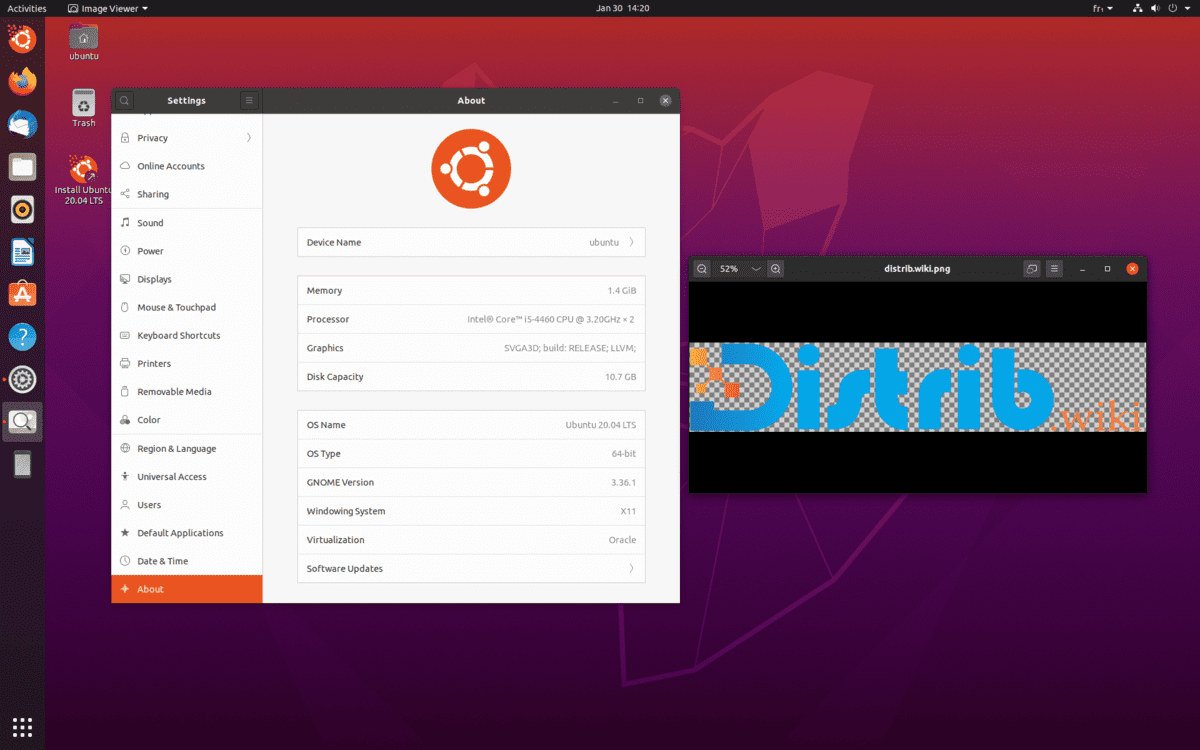
Ubuntu Desktop provides the GNOME desktop, described on its official download page. If that layout does not suit you, the Ubuntu ecosystem offers other interfaces.
- Kubuntu (in French) uses KDE Plasma.
- Lubuntu (in French) uses LXQt.
- Xubuntu (in French) uses Xfce.
These are among the official Ubuntu flavours, which select their own applications and settings. Compare menus, shortcuts and display behaviour with your usual tasks; a desktop's name alone cannot guarantee how responsive your computer will be.
Our Ubuntu-based distributions category (in French) also covers derivatives. Belonging to this family does not mean being an official flavour.
Applications: check the features, not just the name
For music and video: see our VLC installation tutorial for this system's steps and update guidance. For documents and spreadsheets, see the LibreOffice installation tutorial.
Before migrating, list your essential applications: Linux availability, document formats, extensions, connected devices and possible web versions. Try copies of representative files. Our software checklist develops this approach for office work, creative tools and games.
Ubuntu uses both deb and Snap packages. The documentation on Snap and deb packages explains their distribution and update mechanisms. When an application has several formats, check its publisher, version and permissions instead of installing several indistinguishable copies.
Try Ubuntu from a USB drive before installing
The official Ubuntu Desktop trial tutorial explains how to boot from a USB drive and choose the trial option. Creating the drive erases its contents: back it up and check the selected device before writing the image.
- Check your devices: Wi-Fi, sound, webcam, keyboard, touchpad and the monitors you need.
- Explore the desktop: menus, settings, text sizes and shortcuts for your tasks.
- Note the trial's limitations: the session uses open-source drivers. Some proprietary drivers, including NVIDIA drivers, may be unavailable at this stage; follow your hardware's documentation.
A USB trial helps identify difficulties; it is not a performance measurement of the installed system. A virtual machine lets you explore the interface but does not validate every physical device on your computer.
Before installing, keep an independent backup of your documents and read the official installation guide. The erase-disk option removes the operating system and data on that disk. To keep Windows, review the guidance on dual boot and disk encryption.
Deciding after the trial
Ubuntu may be a candidate if your essential applications are available, your hardware works as required and the maintenance schedule suits you. Keep your current system while any essential need lacks a verified solution. This page presents neither a popularity ranking nor performance tests.