
Download Ubuntu Kylin: images and installation preparation
English edition published on .
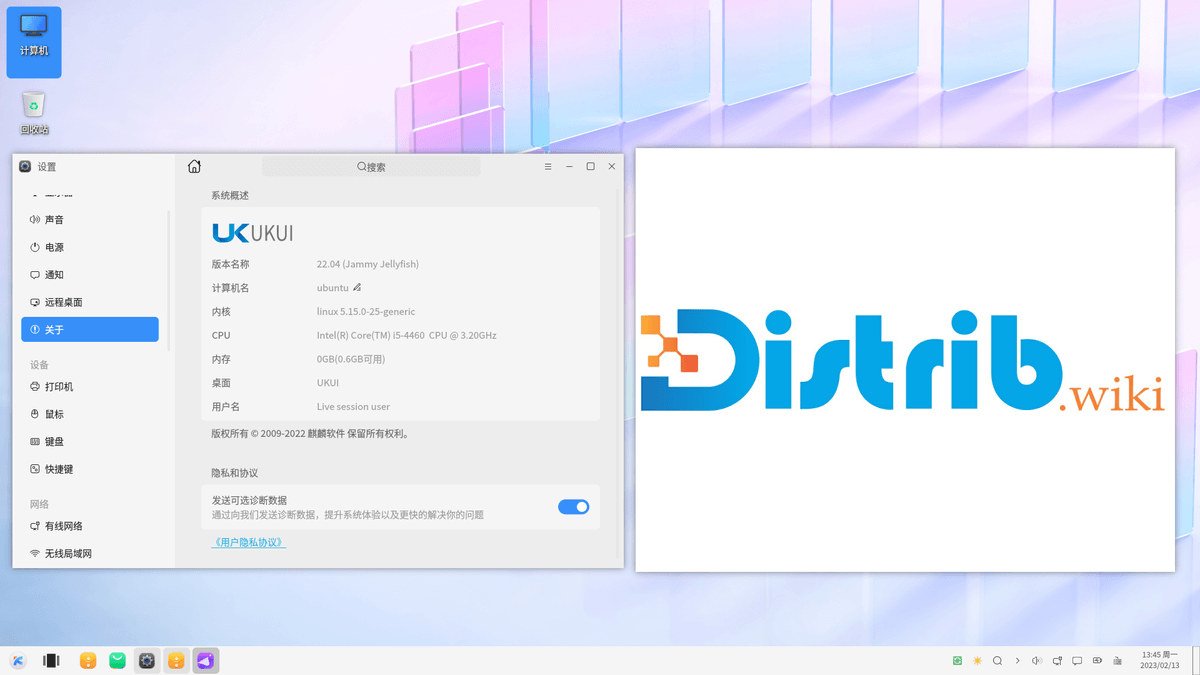
How to download Ubuntu Kylin for free
Ubuntu Kylin is an official Ubuntu flavour with the UKUI desktop environment. It combines a conventional desktop layout with choices aimed particularly at Chinese-speaking users and the Chinese software ecosystem, while retaining an Ubuntu base.
Start from the project's official download page or the official Ubuntu image infrastructure, and verify the file using the checksums provided. When checked on 3 November 2026, the page highlighted Ubuntu Kylin 26.10, with an image update date of 16 October 2026 and a SHA256 checksum. It also listed 26.04 and earlier images. Official Ubuntu Kylin downloads.
Check that this flavour matches what you want. Ubuntu Desktop provides GNOME, while Kubuntu provides KDE Plasma. Ubuntu Kylin is the option to explore if you want UKUI and an Ubuntu experience with a particular focus on Chinese-language users.
Which Ubuntu Kylin release should you download?
Ubuntu Kylin 26.10 is the release highlighted by the official download page at the November check. The release announcement dated 15 October 2026 gives it nine months of support. It retains the UKUI 4.20 desktop design used by 26.04, with maintenance changes. Compare its shorter upgrade cycle with the LTS branch before choosing.
Ubuntu Kylin 26.04 remains a separate choice in the download list. The source guide focused on this release, whose image page lists an update date of 24 April 2026. Check the flavour's maintenance terms, release notes and hardware support rather than assuming that the highest version number is always the right choice for a long-lived installation.
Ubuntu Kylin 25.10 and older releases may still appear in archives. Availability for download is not evidence of continuing maintenance. Confirm support before installing an older interim release on a computer used for everyday online work.
Ubuntu Kylin 24.04 may remain relevant to an existing installation or a particular compatibility constraint. For a new installation, compare its remaining support and package versions with the maintained newer options. Do not select it solely because it is labelled LTS without checking the flavour's own support information.
The desktop image labelled X86 on the project page is intended for compatible Intel/AMD PCs. Confirm the exact image architecture and hardware requirements before downloading. A suitable desktop image lets you try the live environment and then start the graphical installer.
Prepare your computer before downloading
Back up important files before making operating-system changes. Installation can modify partitions and erase existing data. A live USB is useful for evaluating Ubuntu Kylin, but it does not remove the need for a backup before installation.
Check the hardware requirements for the selected release. UKUI offers a conventional desktop experience, but responsiveness still depends on memory, processor, storage and applications. A browser with many tabs or multimedia work can demand much more than simply displaying the desktop.
Prepare a reliable USB drive large enough for the chosen image. Copy off any files you want to keep because image writing erases the drive. You will use it to start the computer, explore the live environment and install the system if the initial checks are satisfactory.
Create a bootable Ubuntu Kylin USB drive
Download and verify the ISO, then write it to USB using the current installation instructions. Common image-writing options include Rufus on Windows, balenaEtcher on Windows, macOS or Linux, and Startup Disk Creator on Ubuntu or a compatible Ubuntu flavour. Check both the image and destination drive before confirming.
Restart the computer and open its boot menu. The appropriate key depends on the manufacturer and may be F12, F9, F8, Esc or Delete. Select the USB drive to start the Ubuntu Kylin live environment.
Check Wi-Fi, sound, display output, keyboard and mouse. Explore UKUI's menus, settings and input methods, and assess whether the language experience meets your needs. This is an opportunity to identify hardware or usability problems before changing the internal disk.
Install Ubuntu Kylin after downloading
The graphical installer provides the usual choices for language, keyboard layout, time zone, installation disk, partitions, username and password. Read the final disk-change summary before proceeding. The exact screens and available options depend on the release and existing layout.
You may be able to replace the current system or install Ubuntu Kylin alongside another operating system such as Windows. Dual boot keeps both systems but requires careful preparation, a suitable partition plan and a backup.
After installation, apply the available updates. Ubuntu Kylin uses Ubuntu repositories and familiar package-management tools from that ecosystem. You can add software through the graphical tools provided or with APT, following instructions compatible with the release you installed.
Why consider Ubuntu Kylin?
Ubuntu Kylin provides an alternative official Ubuntu desktop. UKUI's conventional layout may suit users who prefer a traditional application menu and desktop organisation to Ubuntu's GNOME workflow. Try the interface rather than assuming that one layout will suit everyone.
The project is particularly relevant to Chinese-speaking users and people who want a desktop shaped around that ecosystem. Its interface and application choices reflect this focus while retaining Ubuntu as the underlying distribution.
The Ubuntu base offers a broad software catalogue and extensive documentation. Many Ubuntu administration concepts also apply to Ubuntu Kylin, although instructions should be checked against the flavour, desktop and release you actually use.
The live image makes it possible to explore UKUI and test hardware before installation. This is especially useful for checking input methods, peripheral support and the applications you expect to rely on.
Compare the release and desktop before installing
Ubuntu Kylin combines UKUI with an Ubuntu base and a focus on Chinese-language desktop use. At the November 2026 check, its official page highlighted 26.10 while also providing 26.04. Compare support duration, hardware compatibility and your software needs before selecting an image.
Use official download links, verify the file, create a bootable USB drive and explore the live session. Once you have backed up your files and reviewed the disk changes, follow the matching installation guide. This gives you a practical way to decide whether Ubuntu Kylin's desktop is a good fit.