

Opens the download page on distrib.wiki.
English edition published on .
KDE neon: the KDE community’s official Linux system
KDE neon is a free and open-source Linux system developed by the KDE community. It combines a stable Ubuntu LTS base with recent KDE software. Its aim is to give users quick access to developments in KDE Plasma, KDE Frameworks, KDE Gear and Qt without waiting for the next release of a conventional distribution.
KDE neon primarily targets people who enjoy the KDE Plasma desktop and want its latest improvements. Unlike Kubuntu, which follows Ubuntu’s release schedule, KDE neon combines a long-lived Ubuntu LTS base with much newer KDE packages. This separates the stability of the underlying system from the pace of desktop development.
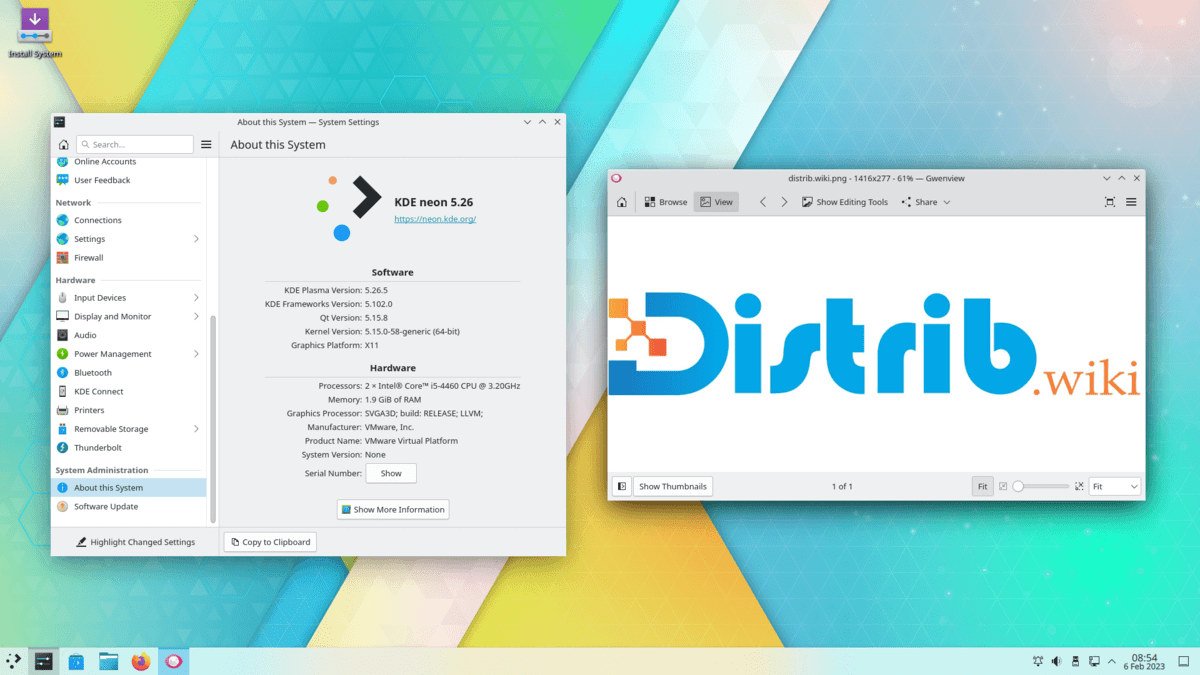
KDE neon is more than a conventional Linux distribution: it also showcases KDE technology. It presents Plasma close to the form provided by KDE developers, with few additional modifications. It is of particular interest to KDE enthusiasts, testers, developers and users looking for a modern desktop.
History of KDE neon
KDE neon was announced in 2016 by Jonathan Riddell, formerly the Kubuntu project leader. The idea was to offer the latest KDE software on a stable base. Many Plasma users wanted rapid access to KDE improvements without moving to a completely rolling-release distribution.
The project addressed this need by combining a solid Ubuntu LTS base with KDE neon repositories containing recent KDE software. This arrangement separates two concerns: stability of the underlying system and rapid delivery of KDE updates.
Over the years, KDE neon has become a familiar option for Plasma users. It has accompanied major KDE developments, including Plasma 5 and Plasma 6, changes to KDE Frameworks and integration of newer Qt releases. Installation images are refreshed regularly to provide newcomers with a recent starting point.
KDE neon continues to occupy a distinctive position in the KDE ecosystem. Users can run a recent Plasma environment, while Testing and Unstable editions give testers and developers early access to KDE development branches.
Advantages of KDE neon
Its main attraction is rapid access to new KDE Plasma releases. Users can receive desktop improvements soon after their official publication rather than waiting for another major Ubuntu or distribution release. This suits people who want an up-to-date KDE desktop.
The Ubuntu LTS base also provides a stable foundation, broad hardware support, a large software catalogue and extensive documentation. Users benefit from the Ubuntu ecosystem while running a newer KDE environment than many fixed-release distributions offer.
KDE Plasma itself is another attraction. It offers extensive customisation of panels, menus, themes, effects, shortcuts, widgets, virtual desktops and system behaviour. KDE neon provides access to these features in a recent version.
KDE neon offers a relatively unmodified KDE experience. The project avoids heavy customisation and presents Plasma close to the KDE community’s design. This may appeal to users who want to explore KDE without a substantial additional layer.
The Testing and Unstable editions are useful for developers and testers. They allow contributors to try upcoming KDE releases, identify bugs and follow Plasma development before changes reach the stable edition.
Limitations of KDE neon
KDE neon may be less suitable for users who expect a broad, fully equipped general-purpose distribution immediately after installation. Its main focus is KDE Plasma and KDE applications, so users may need to add applications or configure features themselves.
Its rapid adoption of KDE releases also means changes and bugs may appear sooner than in more conservative distributions. The User edition is intended for everyday use, but its KDE software evolves faster than a conventional LTS desktop.
KDE neon should not be confused with Kubuntu. Kubuntu is an official Ubuntu flavour that integrates KDE Plasma into the Ubuntu release cycle. KDE neon uses an Ubuntu LTS base but maintains its own KDE repositories for newer software. This distinction can initially be confusing.
Testing and Unstable are not intended to provide a stable everyday system. The official download page describes pre-release KDE software built from development branches without complete quality assurance and warns that it may contain bugs. These editions are for testers and experienced users.
KDE neon is primarily a KDE desktop system. For production servers, cloud infrastructure or enterprise deployments, compare alternatives such as Ubuntu Server, Debian, Rocky Linux, AlmaLinux or Red Hat Enterprise Linux. Its purpose remains a Plasma-focused desktop.
KDE neon editions
User Edition is the recommended starting point for most users. It combines officially released KDE software with an Ubuntu LTS base and is the most appropriate edition for a personal computer, KDE workstation or everyday desktop.
Testing Edition provides pre-release KDE software built from bug-fix branches. It allows users to try upcoming updates before their stable release. It may contain bugs and is not recommended for a main computer.
Unstable Edition provides newer KDE software built from feature-development branches. It targets testers, contributors and developers who want to follow KDE development closely. It may contain many bugs and should not be used for a critical workstation.
A Developer Edition has also existed, providing tools and libraries for KDE contributors. The editions highlighted on the official website can change over time, but the basic distinction remains: User for everyday use, Testing and Unstable for testing and development.
For a first installation, choose User Edition. It offers the most stable KDE neon experience while retaining access to recent KDE software. Other editions primarily serve contribution, testing and exploration before changes stabilise.
Overall assessment
KDE neon is an appealing option for users seeking recent KDE Plasma releases on an Ubuntu LTS base. It combines a long-lived foundation with a frequently updated KDE desktop.
It will not suit everyone, especially those seeking a broad general-purpose distribution or server system. For a modern, customisable KDE workstation, however, it is worth considering among Linux desktop options.