

Opens the download page on distrib.wiki.
English edition published on .
Peppermint OS: a lightweight, minimal Linux distribution
Peppermint OS is a free, open-source Linux distribution designed to provide a simple, responsive and configurable system. It supplies a functional desktop without a large collection of preinstalled applications, leaving users to extend the minimal base to suit their needs.
It targets modest or older computers and users who prefer to select their own applications. Typical uses include browsing, office work, file management, light media use, learning Linux and uncomplicated everyday computing.
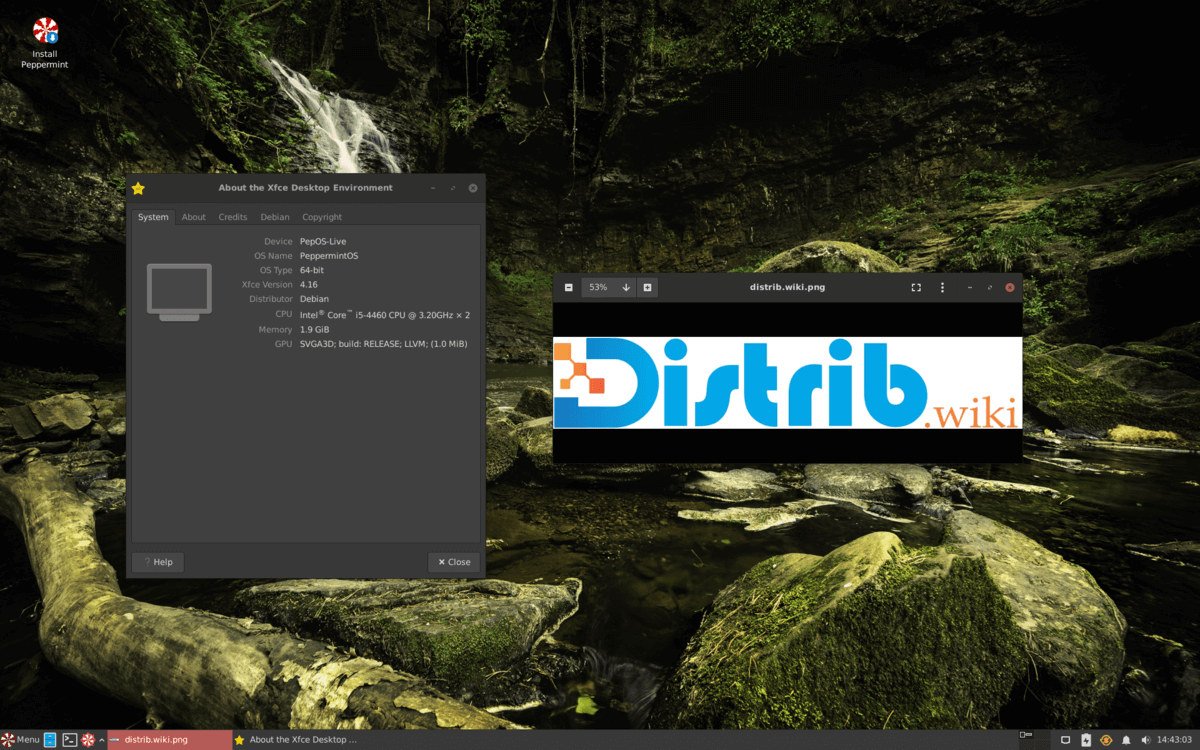
Xfce is its main desktop. Peppermint installs essential components and leaves additional software choices to the user, distinguishing it from distributions with a larger default application selection such as Ubuntu, Zorin OS or Linux Mint.
The history of Peppermint OS
Peppermint OS launched in 2010 as a lightweight, cloud-oriented distribution. Early Ubuntu-based versions integrated web applications into the desktop, combining locally installed software with online services.
The Ice tool helped define that hybrid approach by creating launchers that presented web applications like local programs. This contributed to Peppermint’s reputation for a practical, lightweight desktop.
In 2022 the project moved from Ubuntu to Debian Stable, strengthening its focus on stability, simplicity and user control. It also introduced Devuan-based images for users who prefer alternatives to systemd.
Recent releases continue the minimal approach: a working Xfce desktop, few preinstalled applications and tools for selecting additional software. Peppermint has thus evolved from a strongly cloud-focused system to a flexible, lightweight desktop base.
Advantages of Peppermint OS
A small default software selection limits resource use and clutter. This can suit older computers, modest laptops and people seeking a responsive desktop, depending on the applications they run.
Xfce provides a conventional interface that is straightforward to navigate. Users coming from Windows or other Linux distributions may find its desktop organisation familiar.
Users choose their browser, office suite, media player, graphics applications and development tools rather than receiving a large fixed selection. This makes the initial system a basis for personal customisation.
Debian Stable provides an established package ecosystem and extensive documentation. Peppermint combines that base with its minimal desktop configuration.
The Devuan variant provides an alternative for people who specifically want to avoid systemd and use a different approach to system initialisation.
Limitations of Peppermint OS
Minimalism means installing additional applications after setup. Users who want a comprehensive environment immediately may prefer the default software selection in Linux Mint, Ubuntu or Zorin OS.
Peppermint has a smaller community than Ubuntu, Debian, Fedora or Arch Linux. Project-specific tutorials may be harder to find, although relevant Debian documentation can help.
Xfce emphasises a conventional interface and modest resource needs. Users seeking elaborate visual effects or the design of GNOME, KDE Plasma, Deepin or Pantheon may prefer another desktop.
Debian Stable packages are not always the newest versions. This supports a stable base, but users prioritising frequent application updates may consider Fedora, Arch Linux, EndeavourOS or openSUSE Tumbleweed.
The distribution focuses on lightweight desktop work and learning. It is not primarily designed for production servers, cloud infrastructure or complex business environments.
Peppermint OS editions
The main edition is based on Debian Stable, uses Xfce and provides a lightweight, configurable desktop for general users.
The Devuan variant offers a Debian-related base without systemd. It is intended for users who specifically prefer another init system.
At different times the project has also offered Mini and Loaded images. Mini images reduce the starting installation further; Loaded images may include more applications and tools. Check which variants the project currently provides.
Architecture choices depend on the images available. A 64-bit PC image is the usual choice for compatible computers; select other images according to the hardware and purpose.
The standard Debian edition is a reasonable starting point for a first installation. The Devuan variant is more relevant to users who have a specific reason to choose a non-systemd environment.
Conclusion
Peppermint OS combines Xfce, a Debian Stable base and a minimal application selection. It can provide a restrained desktop for modest hardware or a starting point for a customised system.
It requires more application choices than a comprehensive preconfigured distribution. For users who prefer to select their own software and keep their desktop uncluttered, it is an option worth considering.