
Download BlackArch Linux: images and installation preparation
English edition published on .
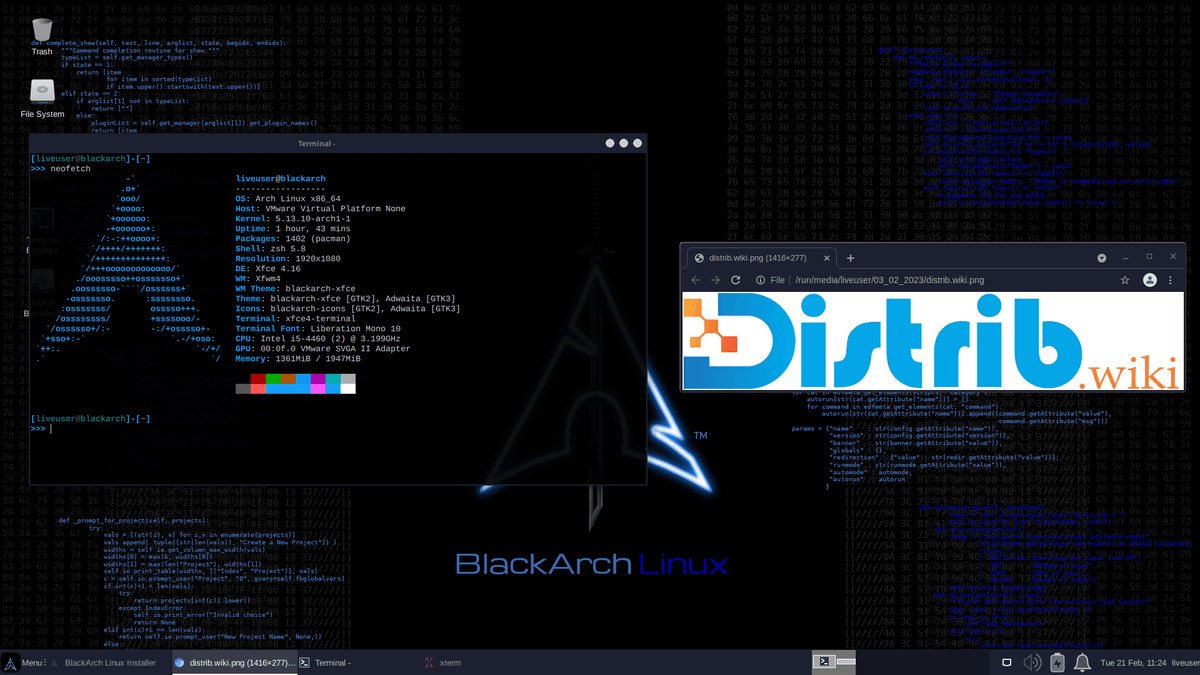
How to download BlackArch Linux for free
BlackArch Linux is an Arch-based distribution and software repository for penetration testing, security auditing, digital forensics, network analysis, OSINT and cybersecurity research. Its security tools can be installed individually or in groups, letting you assemble an environment for a particular field of work.
Use the official download page or one of the mirrors it lists, and follow the project's verification instructions. The page provides Full, Slim and Netinstall images, as well as instructions for adding the BlackArch repository to an existing Arch Linux installation. Check the image date: an official image is not necessarily a recently built image.
The project explicitly discourages installing the Full ISO for most users because installation and update conflicts can occur. It recommends Slim or Netinstall for more selective setups. Full is primarily intended for offline installation by people prepared to troubleshoot. This advice was checked on 3 November 2026. Official BlackArch downloads and installation instructions.
Which BlackArch Linux image should you download?
Slim ISO gives you a working system with a selected collection of commonly used security tools and utilities. The source guide describes an Xfce4 and LightDM desktop. Check the chosen image's notes for its precise contents. You can add only the tools needed for web testing, networks, forensics, OSINT or reverse engineering rather than installing the entire repository.
Full ISO contains the tools available when that image was built. It is a large download and requires substantial storage. Although it can be useful for a carefully prepared offline laboratory, the project's warning about conflicts means it should not be treated as the default or easiest option.
Netinstall ISO starts from a small set of packages and gives experienced users more control over what they install. It suits a selective setup built around specific requirements, but needs familiarity with Arch installation and maintenance.
Adding the repository to Arch Linux avoids replacing an existing Arch installation. BlackArch functions as an unofficial repository, and its tools are managed through pacman. Follow the current official repository setup and verification procedure. This approach can suit experienced Arch users who want to keep their normal working environment.
Prepare your computer before downloading
Define your goal first. For learning cybersecurity, a virtual machine or an isolated lab is often a practical starting point. It lets you explore the tools in a controlled environment without replacing the operating system on your main computer.
If you plan to install BlackArch on physical hardware, back up important files first. Operating-system installation can modify or erase disk partitions. Work out which disk will be used before booting the installer.
Check available storage and the size of the selected image. Full and a large collection of installed tools can consume considerable space. Slim, Netinstall or a selective repository setup is more appropriate when you need only a subset of the tools.
Create a bootable BlackArch Linux USB drive
After downloading and checking the ISO, write it to a USB drive using a method compatible with BlackArch's instructions. The original guide mentions Rufus, balenaEtcher and, for experienced Linux users, dd. The official page specifically warns against UNetbootin because it changes the bootloader configuration. Check the destination drive before writing: its existing contents will be erased.
Restart the computer and open its boot menu. Typical keys include F12, F9, F8, Esc and Delete, but the correct key depends on the hardware. Select the USB drive and start BlackArch.
Use the live environment to check the keyboard, mouse, display, network and relevant hardware before installing. You can also assess whether the desktop and tools fit your needs. For an initial introduction, a virtual machine can provide a more convenient disposable test environment.
Install BlackArch Linux after downloading
The installation path depends on the image. Full provides a large snapshot of the available tools; Slim begins with a selected set; Netinstall allows a more selective installation. The project documents a graphical installer for Slim and its dedicated installation procedure for Full and Netinstall.
Installation and maintenance require more Linux knowledge than a typical first-time Ubuntu, Linux Mint or Zorin OS setup. You should understand partitions, networking, packages, updates and the choices involved in managing an Arch-based system.
After installation, update through pacman following the current Arch and BlackArch instructions. BlackArch uses a rolling release model, so ongoing system maintenance matters. Read relevant announcements and resolve reported conflicts rather than assuming that an old ISO can always be updated without intervention.
Install additional tools individually or by category as your work requires. This keeps the setup focused on the relevant tasks: web penetration tests, network audits, forensics, malware analysis in a suitable lab, OSINT or reverse engineering.
Why consider BlackArch Linux?
BlackArch provides access to a large collection of specialised security software within the Arch ecosystem. It can support training labs, research and authorised audits without requiring you to locate every tool separately.
It is particularly relevant if you already understand Arch Linux. You can retain pacman, the rolling release approach and a highly customisable environment while adding the security tools required for your work.
The repository option also lets you keep an existing Arch desktop rather than installing a separate complete distribution. Selective installation can require less storage and maintenance than keeping the Full collection when most of its tools are unnecessary for your tasks.
Use security-testing tools only on systems, networks and applications you own or have explicit permission to assess. Learning and analysis are most useful when the lab scope and authorisation are clear.
Choose a setup you can maintain
Compare Slim, Netinstall and the repository approach before downloading. Slim offers a selected starting collection; Netinstall and adding the repository to Arch offer more control. Full is an exceptional offline option with an explicit project warning, not the recommended starting point.
Download through the official project links, verify the selected image and follow the matching installation instructions. Test in a live session or virtual machine before changing your main computer. BlackArch can provide a substantial security toolkit, but it benefits from solid Linux knowledge, ongoing maintenance and clearly authorised use.