

Opens the download page on distrib.wiki.
English edition published on .
Deepin: a Linux distribution focused on desktop design
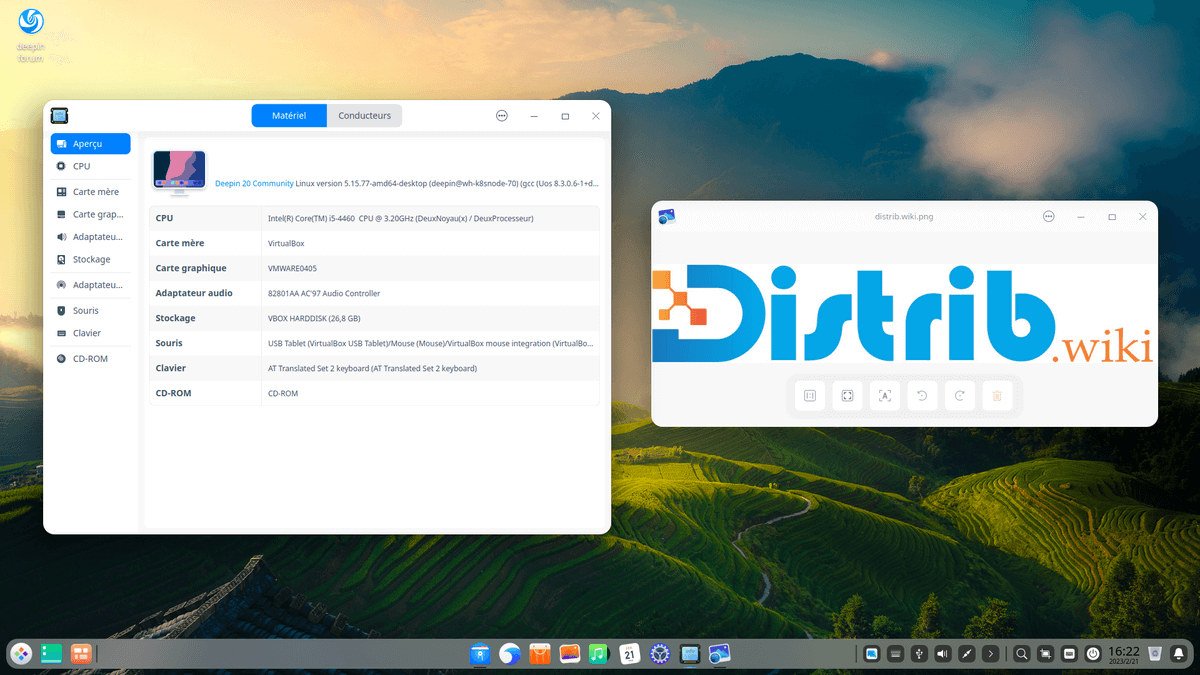
Deepin is a free, open-source Linux distribution designed for a modern and accessible desktop experience. It is particularly known for Deepin Desktop Environment, or DDE, with an interface intended to appeal to users coming from Windows, macOS and other Linux systems.
The distribution emphasises usability, appearance and simplicity. Its desktop includes a control centre, application launcher, configurable taskbar and project-developed applications. The aim is a ready-to-use environment for browsing, office work, media, files and everyday tasks.
Deepin is developed by the Deepin community and Deepin Technology. Originating in China and used internationally, it is often discussed for its distinctive approach to desktop design.
The history of Deepin
The project began in 2004 as Hiweed Linux, later becoming Linux Deepin and then Deepin. From its early years, it aimed to make the Linux desktop accessible to non-specialists.
Deepin gradually developed its own identity, especially through Deepin Desktop Environment. Modern versions use Qt, providing the distribution’s recognisable appearance and interaction model.
The project also developed a file manager, terminal, control centre, media player, screenshot tool, text editor and application store. These applications are designed to fit the desktop both visually and functionally.
The Deepin 25 generation continues this direction with a visual redesign, stability improvements, system optimisations and an architecture that the project describes as improving security, including read-only mounting of certain system files.
Advantages of Deepin
DDE is the main attraction: a visually consistent desktop with an accessible interface. Users interested in desktop appearance and ease of use may consider it alongside Ubuntu, Linux Mint, Zorin OS and Fedora.
Integrated applications share a visual identity. The control centre exposes many settings without requiring the terminal, which can make initial configuration more approachable.
Deepin aims to reduce complexity for a broad audience. Installation, basic configuration, application management and desktop settings are designed to be understandable to people new to Linux.
The system includes everyday tools and offers applications for browsing, productivity, files, images, music and video. This makes it possible to cover routine office and media tasks.
It also offers a different approach to the Linux desktop. DDE is available through some other distributions, but Deepin provides the project’s integrated desktop experience.
Limitations of Deepin
Deepin is not primarily a lightweight distribution. Its visual effects and integrated applications may use more resources than desktops such as Xfce, LXQt or Fluxbox. Older computers may benefit from a lighter option.
The French profile raises privacy concerns related to past controversy over components of Deepin’s application store and notes that the project responded and evolved. Those historical concerns should be assessed against current documentation and the behaviour of the release you plan to use; they do not establish that a current installation collects particular data.
The software ecosystem may be unfamiliar to users coming from Ubuntu, Fedora or Arch Linux. Applications, repositories and tools vary between versions, so learning Deepin’s own organisation may be necessary.
Deepin focuses on desktop use rather than production servers, cloud infrastructure or critical business environments. Debian Server, Ubuntu Server, Rocky Linux, AlmaLinux or Red Hat Enterprise Linux are alternatives to assess for those tasks.
Advanced users who want to build a system by hand may prefer Arch Linux, Gentoo or a minimal Debian installation. Deepin prioritises an integrated visual experience, trading some of that do-it-yourself approach for convenience.
Deepin releases and features
The project primarily offers a complete desktop image centred on DDE rather than numerous separate official editions. Installing the official ISO provides the integrated Deepin environment.
The French profile highlights deepin 25.1 within the deepin 25 generation. This generation includes a visual redesign, optimisations and stability fixes. Consult the official download page for the exact release currently offered.
DDE includes the desktop, dock, launcher, control centre, notifications and integrated tools. This consistent presentation is central to Deepin’s identity.
Available architectures depend on the release and image. Recent generations have expanded support for platforms including x86-64, ARM64, RISC-V and LoongArch; x86-64 remains the usual image choice for compatible PCs.
For a first installation on a personal computer, start with the official desktop ISO for that hardware. Additional software and configuration can then adapt the system to individual requirements.
Conclusion
Deepin is a desktop-oriented Linux distribution whose main feature is DDE. It offers an integrated visual environment for users who value an accessible interface and everyday applications.
It is neither the lightest option nor primarily a server or specialist technical system. Users prioritising auditability or detailed control may consider Debian, Fedora, Arch Linux or Linux Mint. For exploring a different approach to desktop design, Deepin provides its own experience.