
Opens the download page on distrib.wiki.
English edition published on .
PCLinuxOS: a user-friendly desktop distribution
PCLinuxOS is a free, open-source, independent distribution designed mainly for personal computers. It focuses on desktop convenience and straightforward use. Rather than require the manual configuration associated with Arch Linux or Gentoo, it aims to provide an accessible everyday system.
It includes graphical administration tools, media support and several desktop choices. The intended uses include browsing, office work, media, file management, communication and other routine tasks without configuring every component from scratch.
PCLinuxOS follows a rolling-release model. Existing installations receive updates through the package manager rather than requiring complete reinstalls for major releases. Refreshed ISO images provide newer starting points for installation.
History of PCLinuxOS
Its origins lie in Mandrake Linux, later called Mandriva. In the early 2000s, Bill Reynolds, known as Texstar, maintained RPM packages to improve the Mandrake experience. This work gradually grew into an independent project.
PCLinuxOS began developing as a distribution in its own right in 2003. It initially retained technical links to Mandrake, then established its own identity, decisions and community.
Its consumer focus helped distinguish it when many Linux distributions required substantial configuration. A complete graphical desktop, hardware detection and accessible media use were central to that approach.
The project adopted rolling updates so that users could maintain their installation without frequent reinstalls. Refreshed installation images continued to supply newcomers with a more recent base.
Advantages of PCLinuxOS
It aims to provide a functional desktop quickly, with a complete graphical interface, practical administration tools and an application selection suited to everyday work.
Rolling updates allow gradual maintenance without reinstalling for every major version. Users can keep their system current without the periodic version jumps required by some fixed-release distributions.
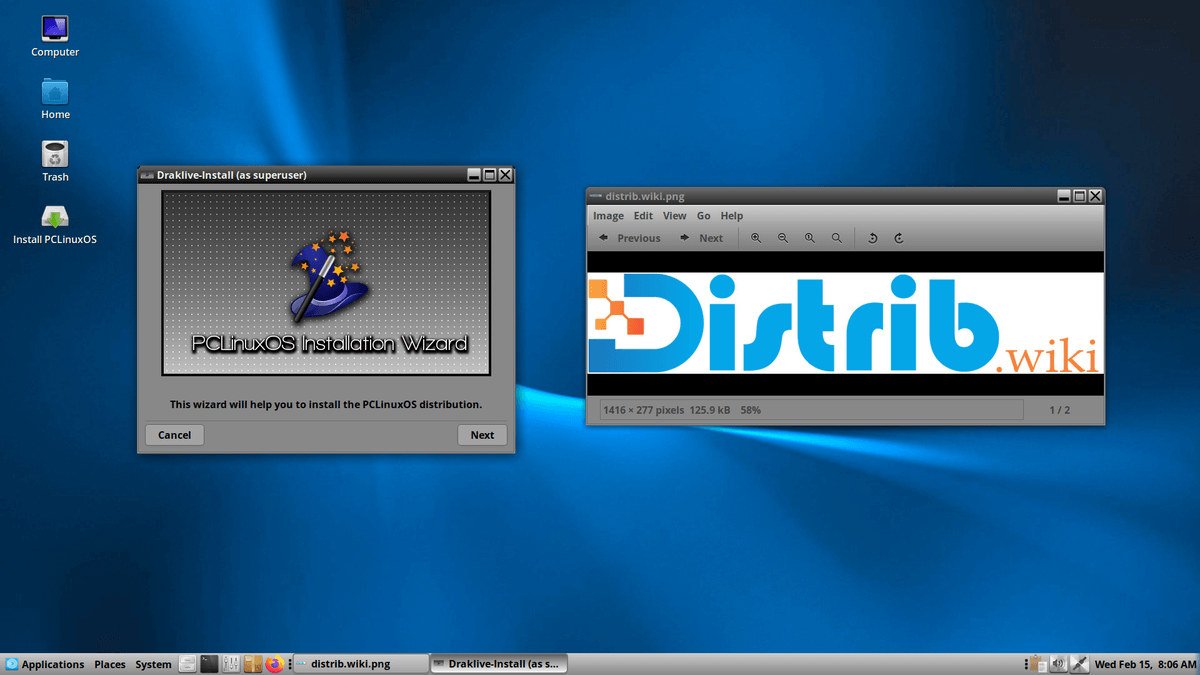
The desktop choices described here include KDE Plasma, MATE and Xfce. Plasma provides extensive configuration, MATE a traditional desktop and Xfce a restrained interface with modest resource requirements.
PCLinuxOS combines RPM packages with APT-derived management tools. This offers a particular approach to software installation for users who want graphical or familiar package-management workflows in an RPM-based system.
Its pragmatic focus emphasises installation convenience, multimedia and everyday usability rather than technical experimentation for its own sake. It may suit users seeking a practical personal desktop.
Limitations of PCLinuxOS
Its community is smaller than those of Ubuntu, Debian, Fedora, Arch and Linux Mint. Recent tutorials, detailed guides or answers to specific issues may be harder to find.
The software catalogue is also smaller than those of the largest distributions. Common applications are present, but professional, recent or specialised packages may be less readily available.
A rolling installation still needs regular maintenance. Apply updates consistently rather than allowing large gaps between package updates, and follow the project’s recommended process.
PCLinuxOS primarily targets desktops. Production servers, cloud infrastructure and organisations needing formal long-term support may be better served by Debian, Ubuntu Server, Rocky Linux, AlmaLinux or Red Hat Enterprise Linux.
The project has a lower public profile than at some points in its history. This can make it less visible, even when an established community continues to use and maintain it. Check current project activity when planning a new installation.
PCLinuxOS editions
The KDE Plasma edition provides a feature-rich desktop with extensive visual and functional configuration. It suits users who want control over the interface and its behaviour.
MATE provides a traditional desktop layout with a straightforward interface. It can suit users seeking familiar menus and panels without prioritising elaborate visual effects.
Xfce is the lighter of the principal desktop options described here. It may suit older or modest computers and users who want a conventional desktop with relatively low resource consumption.
Additional community images can vary over time. For a first installation, select a current official image appropriate to your hardware and preferred desktop.
The choice is therefore mainly about hardware and working habits: Plasma for customisation, MATE for a familiar traditional layout and Xfce for a restrained desktop. Test the intended applications rather than judging only the interface.
Overall assessment
PCLinuxOS offers an independent, desktop-oriented approach with rolling updates and several environments. Plasma, MATE and Xfce provide alternatives for different computers and working styles.
It does not match the largest distributions in visibility or package breadth, but offers a practical alternative outside the Debian, Ubuntu, Fedora and Arch families. Users considering a personal desktop should check application availability and try their preferred edition.