
Opens the download page on distrib.wiki.
English edition published on .
elementary OS: a Linux distribution focused on simplicity and design
elementary OS is a free, open-source Linux distribution based on Ubuntu LTS. It is known for its minimalist interface and attention to the desktop experience. Rather than targeting highly technical configuration, it aims for a simple, consistent system for everyday users.
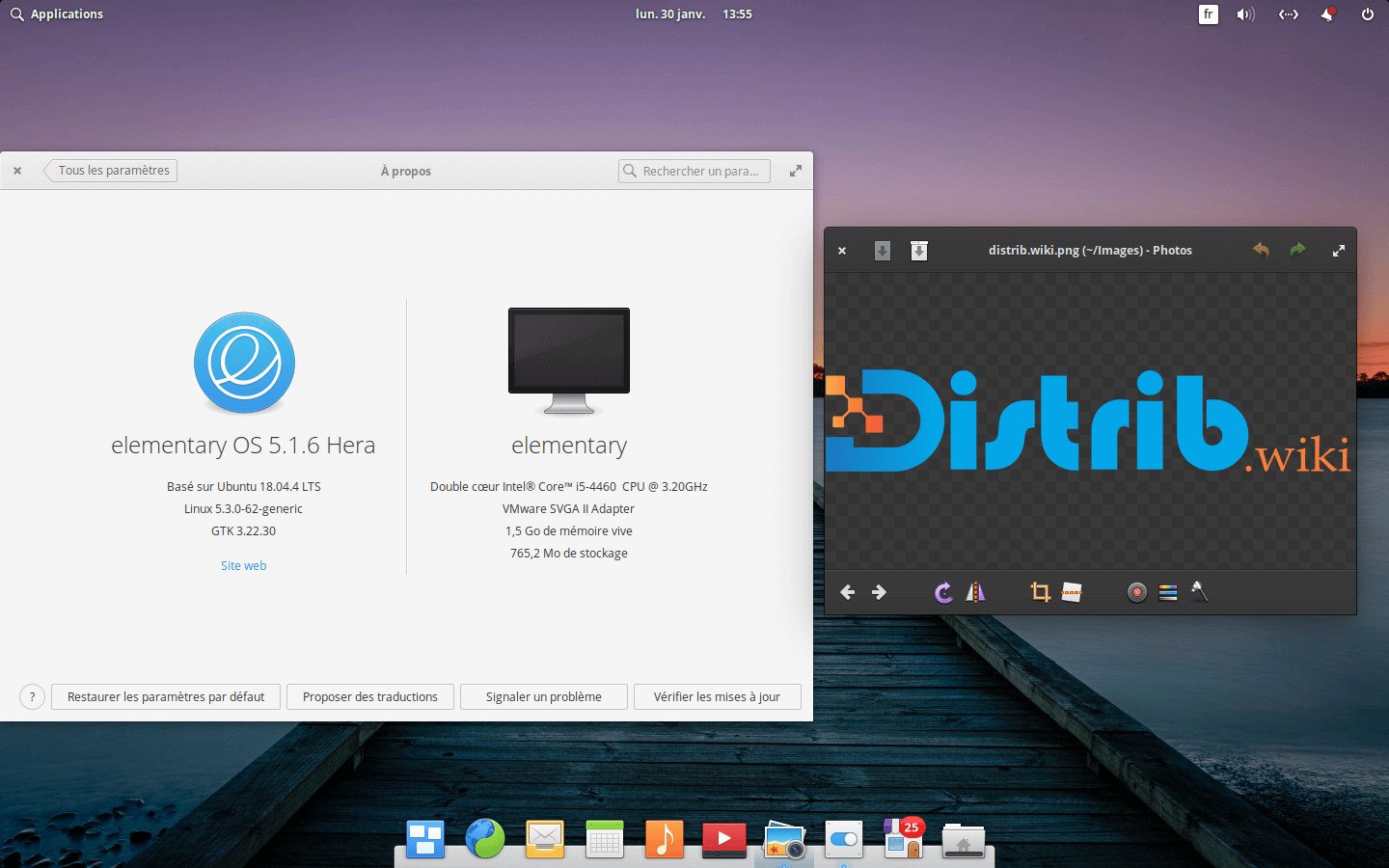
It uses Pantheon, a desktop developed for the project. The dock, application menu, workspaces, settings and integrated applications are designed together to create a coherent interface.
The distribution targets browsing, office work, messaging, files, media, productivity, communication and family use. Its accessible interface may also appeal to people moving from Windows or macOS.
The history of elementary OS
The project began with themes, icons and applications intended to improve the Linux desktop. Its first operating-system release, Jupiter, appeared in 2011. Based on Ubuntu, it already emphasised design, simplicity and visual consistency.
Luna, Freya, Loki, Juno, Hera, Odin, Horus and Circe gradually developed Pantheon, the project’s applications and their integration. A restrained, user-focused interface remained the common direction.
The project also adopted a “Pay What You Can” funding model. Users can contribute financially when downloading while retaining the option of a free download. The aim is to fund open-source development without a mandatory licence payment.
The 8.1 release discussed in this profile develops the Wayland-based Secure Session, dock, accessibility, hardware support and interface details. It combines an Ubuntu LTS base with the project’s desktop design.
Advantages of elementary OS
Pantheon provides a clear desktop, quick application access through the dock and organised settings. Its consistent presentation may suit users who value design and an interface that is easy to understand.
The distribution avoids exposing a large number of complex settings by default. This guided approach to common tasks can help beginners or people who prefer a restrained working environment.
The Ubuntu LTS base offers a broad software ecosystem and hardware support. Applications can be obtained through AppCenter, Flatpak, .deb packages and tools from the Ubuntu ecosystem, as appropriate for the release.
Privacy and user control are also design priorities. Recent releases develop the Secure Session, application permissions and controls over application behaviour, which may interest privacy-conscious users.
Integrated tools for files, the terminal, music, video, calendars, settings and screenshots share Pantheon’s visual approach. This gives the distribution a consistent identity instead of a collection of unrelated interfaces.
Limitations of elementary OS
Pantheon deliberately limits some customisation to preserve consistency. Users who want extensive changes to their desktop may prefer KDE Plasma, Xfce, a customised GNOME setup or a distribution such as Arch Linux.
The initial application selection is small. This keeps the interface uncluttered, but advanced office work, media production, development and professional tasks may require additional software installation.
The donation-led download page can be confusing at first. “Pay What You Can” encourages support for development, but users can choose their contribution, including a free download. This is a funding choice rather than a technical limitation.
Ubuntu LTS repositories may provide older application versions than Fedora, Arch Linux or openSUSE Tumbleweed. Flatpak can provide newer versions of some applications, although using several installation formats adds another consideration.
elementary OS is primarily a desktop system. Debian Server, Ubuntu Server, Rocky Linux or Red Hat Enterprise Linux are alternatives to assess for production servers, cloud infrastructure and specialist enterprise use.
elementary OS releases and features
The project mainly supplies one complete Pantheon desktop image rather than many official desktop editions. Users install the official ISO and add the applications they need.
The French profile discusses elementary OS 8.1 in the Circe series, based on Ubuntu 24.04 LTS. It includes improvements to the Secure Session, dock, hardware support and accessibility. Check the official site for the release currently offered.
Pantheon includes the desktop, dock, application menu, settings, notifications, workspaces and project-developed applications. Their integration is central to the experience.
AppCenter highlights applications designed or adapted for elementary. Its approach emphasises design, privacy and integration with the desktop experience.
For a first installation, use the official elementary OS ISO. There is no need to choose between multiple official desktops: the project’s intended experience is Pantheon.
Conclusion
elementary OS combines Pantheon, an Ubuntu LTS base and attention to design in a desktop-oriented system. It suits users looking for a simple, consistent interface for everyday computing.
It offers less extensive customisation than some alternatives and is not primarily a server distribution. Its distinctive aim is accessible, user-focused desktop computing with a carefully integrated interface.